









Reviews and corrects ledger-to-subledger alignment in D365 by fixing posting configurations, inventory profiles, reconciliation logic, GL mapping, and critical reporting procedures.
Your CRM and ERP Agree. That Doesn’t Make Them Right.
Posted on: October 27, 2026 | By: Heather Zhu | Microsoft Dynamics AX/365, Microsoft Dynamics AX/365|Microsoft Dynamics Manufacturing
Connected systems. Unanswered questions.
Before connecting Dynamics 365 Sales and Finance, decide who can change the customer. Then make the integration prove it.
By Logan Consulting • October 26, 2026 • 6-minute read
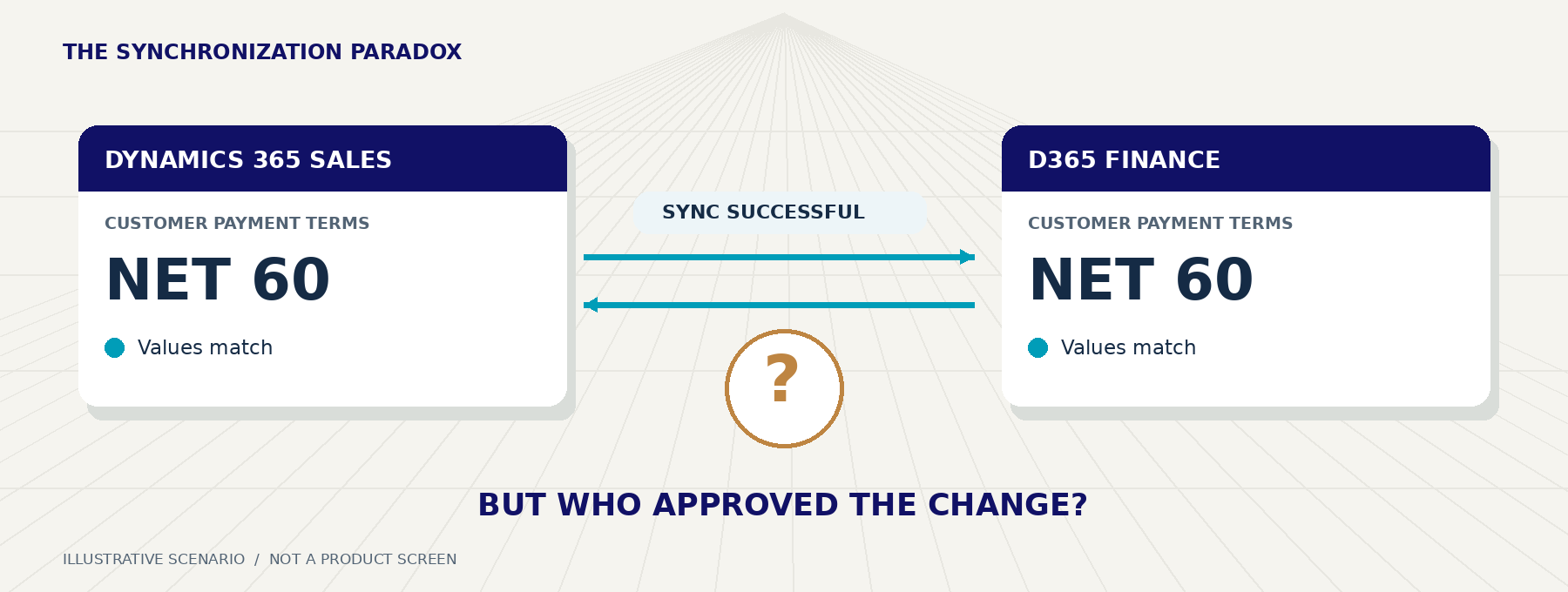
Picture a distributor preparing its first integrated CRM and ERP rollout. Finance has approved Net 30 for a customer. A salesperson promises Net 60 and changes the CRM record. In this illustrative scenario, the edit passes the configured validations and synchronizes. Both systems now agree. The approval process did not.
The project team sees a successful connection. The controller sees an unauthorized commercial decision. The connector may be doing exactly what it was configured to do.
Microsoft’s dual-write infrastructure supports near-real-time integration between finance and operations apps and Dataverse, the platform behind Dynamics 365 Sales. That is useful plumbing. It does not decide which employee may extend a customer’s payment terms. 1
The Logan Position
Define authority by field and business decision, not by application logo. A shared customer record should not mean that everyone can change everything.
01 / Decide before you connect
“Who owns the customer?” is too broad.
Sales can own the relationship while Finance owns approved payment terms. Operations may govern delivery instructions. Those responsibilities can coexist, but only if the design separates who requests a change, who approves it and where the approved value is maintained.
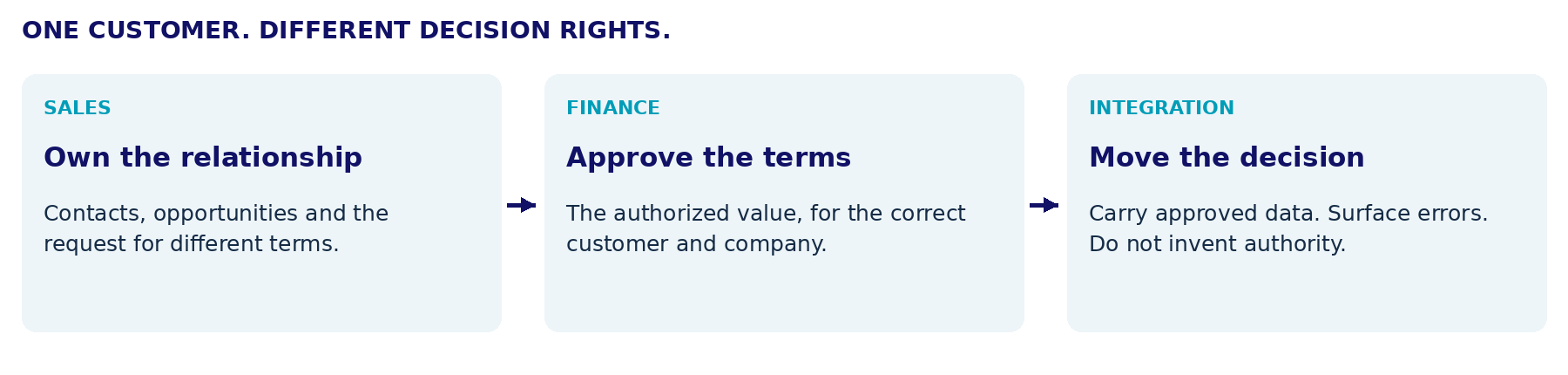 An example operating model, not a Microsoft default. Agree the decision rights with Sales, Finance and the integration owner.
Microsoft’s integrated customer model connects organizational customers in Finance and Operations with Dataverse Accounts. Its customer setup also depends on related information such as customer groups and payment terms. It is not simply a contact list copied between two screens. 2
The detail worth checking: Microsoft’s published Customers V3 (accounts) template maps PAYMENTTERMS to msdyn_paymentterm.msdyn_name bidirectionally. The equals sign in the reference means two-way synchronization, not Finance approval. Inspect the installed map rather than assuming it matches the documentation. 3
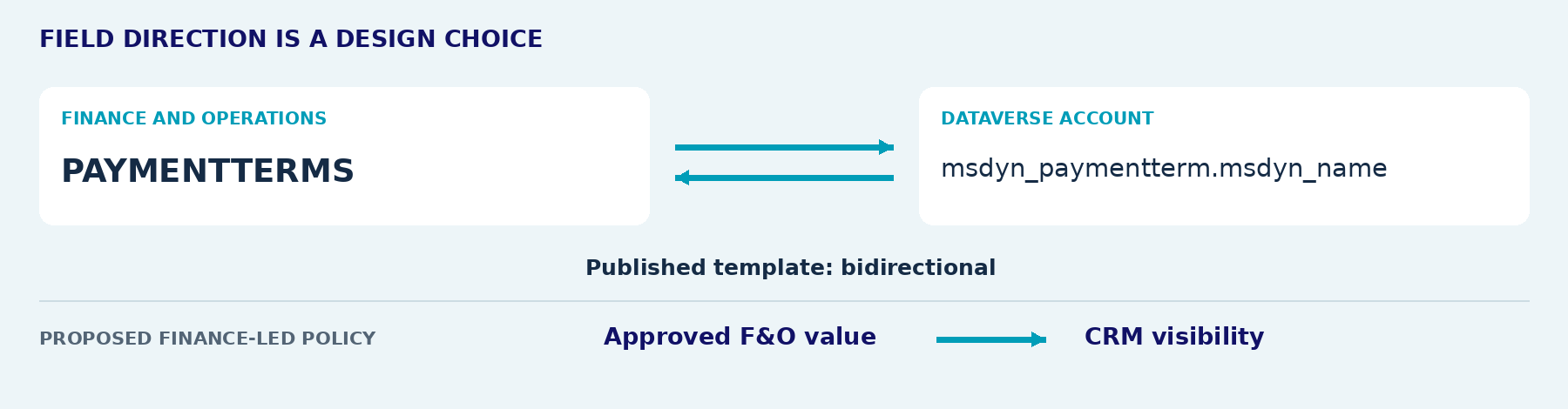 Published mapping above; a proposed Finance-led direction below. Confirm the installed solution and map version. Changing direction does not remove local edit permissions. Sources: Microsoft Learn. 3, 4
For each sensitive field, record the accountable business owner, allowed writers, company scope, approval route and recovery owner. Include the integration identity. A human-only permissions review misses other ways the value can change.
The Question to Ask
Who is allowed to make this value different, and what evidence must exist before the change becomes authoritative?
02 / How to solve it in D365
Start with one field, not the entire customer.
Use a sandbox with the intended dual-write solutions, an administrator and business owners from both sides. Preserve the current map version and baseline values. Work through one payment-terms change before expanding the scope.
1. Inspect the actual map. In the finance and operations app, open Dual-write > Table mappings and select the customer-to-Account map. Locate PAYMENTTERMS, its Dataverse destination and its synchronization direction. Check the related payment-term records and company context. 2 3 4
2. Align transport with authority. For a Finance-led policy, evaluate one-way F&O-to-Dataverse synchronization for that field. Stop the map before editing; Microsoft states, “Before you change table mappings, stop them.” Save the customized mapping with its publisher and version, then test it before promotion. This is native map configuration, not an AI feature. 4
3. Protect the destination too. A one-way map does not, by itself, prevent a user or integration from editing CRM locally. That can leave Sales looking at terms Finance never approved. Restrict unauthorized writes while retaining the integration’s required access.
The Lookup Trap
Where table permissions are too coarse, evaluate a supported server-side validation extension and a separate approval request. Those are additional solution design, not behavior the map supplies automatically. A read-only form can guide a user; it is not proof that imports or API updates are blocked. Test with ordinary users and actual service identities, not just administrators. 5
Logan’s custom-security guide provides background on role design in F&O. The integration review must cover both applications and every approved write route. 8
4. Separate existing data from future edits. Reconcile conflicting customer values before initial synchronization. Also test customer creation: taking away an inbound payment-term value can expose a missing default or dependency. Initial synchronization and live permissions are different design decisions. 9
03 / Prove the business rule
Test the edit that should fail.
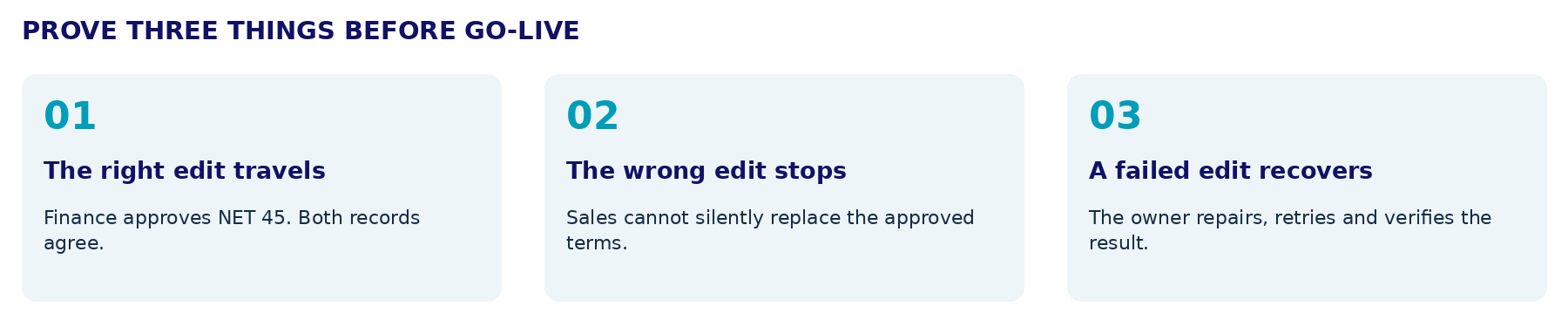 Proposed sandbox acceptance tests, not executed tenant tests or customer results. Use the correct company and retain before-and-after records.
For the success case, approve a change from Net 30 to Net 45 in Finance and confirm the matching CRM Account receives it. For the rejection case, try an unauthorized Net 60 edit through the normal CRM form and the actual import or API route. The agreed control must reject the change or route a request without silently replacing the authoritative value.
For recovery, rehearse a paused-map update that fails destination validation. Microsoft documents failed catch-up records and retry actions under Catch-up errors. Fix the underlying cause, retry and compare both records. Assign an owner who acts promptly: Microsoft warns that errored catch-up records are retained for one day. 6
Retain the customer and company identifiers, map version, approval reference, user or service identity, before-and-after values and recovery evidence. Measure unauthorized changes prevented and time to resolve exceptions, not merely how many records synchronized.
Remember One Thing
Integration should distribute an approved decision, not make an unapproved decision harder to find.
Start with payment terms. Expand only after the permitted edit succeeds, the prohibited edit fails and recovery works. Check the exact application entitlements too: dual-write itself does not require a separate license, but updates to restricted Dataverse tables can require appropriate Dynamics 365 licensing. 7
Bring Logan one customer-change scenario and both process owners. Let’s define who decides, configure the right path and prove the control before connecting more data.
Sources & implementation notes
1. Microsoft Learn: Dual-write overview
2. Microsoft Learn: Integrated customer master
3. Microsoft Learn: Dual-write mapping reference, Customers V3 (accounts)
4. Microsoft Learn: Customize table and column mappings
5. Microsoft Learn: Column-level security to control access
6. Microsoft Learn: Error management and alert notifications
7. Microsoft: Dynamics 365 licensing guidance, Dual write
8. Logan Consulting: Custom Security in Dynamics 365 for Finance & SCM
9. Microsoft Learn: Considerations for initial synchronization
Sources checked October 26, 2026. Scenarios and acceptance criteria are proposed editorial guidance, not executed tests. Verify installed maps, supported configuration, permissions and licensing in the target environment. Illustrations are original explanatory artwork, not product screenshots.


