













Reviews and corrects ledger-to-subledger alignment in D365 by fixing posting configurations, inventory profiles, reconciliation logic, GL mapping, and critical reporting procedures.
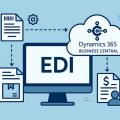
Connecting Dynamics 365 CRM and Business Central: Getting Sales and Finance on the Same Page
Posted on: September 10, 2026 | By: Jackson Morris | Microsoft Dynamics CRM
Many midmarket organizations run Microsoft Dynamics 365 Sales to manage their pipeline and Microsoft Dynamics 365 Business Central to manage financials, inventory, and order fulfillment. On their own, both platforms work well. The challenge is that they don’t share data automatically, so sales and finance teams often end up working from two different pictures of the same customer.
That gap shows up in small but costly ways: a rep who can’t confirm whether an order shipped, a finance team re-entering a customer record that already exists in CRM, or a quote that doesn’t quite match the invoice a customer eventually receives. Connecting Business Central and Dynamics 365 CRM closes that gap, giving sales, finance, and operations teams a shared, accurate view of the business.

What Integration Between CRM and Business Central Actually Means
Business Central and Dynamics 365 Sales are built on different platforms. Sales runs on Microsoft Dataverse alongside applications like Customer Service and Field Service, while Business Central handles the financial and operational side of the business. Integration means keeping shared records, customers, contacts, and sales orders, synchronized between the two so each team works from the same information instead of re-entering it.
Microsoft’s native approach connects Business Central to Dataverse through a predefined set of tables covering core records such as customers, contacts, vendors, and orders. That connector was expanded as part of the 2026 release wave 1, building on the kind of Microsoft 365 integration Business Central already offers with tools like Outlook and Excel, just extended to CRM data specifically.
Why This Matters
Disconnected systems carry a cost that’s easy to underestimate. When sales and finance data live in separate places, teams spend time reconciling records manually, chasing down order status, or double-checking numbers before a customer call. Research on siloed systems has found that knowledge workers can lose close to a fifth of their week just searching for information trapped in another system.
For a growing midmarket company, that inefficiency doesn’t stay flat. It scales with every new customer, order, and employee. Connecting CRM and ERP data doesn’t just save time, it reduces the errors that come from teams working off different versions of the truth.
Key Benefits of Connecting Sales and Finance
Sales teams gain visibility into order status, shipment progress, and invoice history without needing to log into Business Central, so reps can answer customer questions on the spot instead of following up later. Finance teams see accurate, current customer and account data flowing in from CRM, which cuts down on duplicate entry and mismatched records.
Billing also becomes more consistent. When quotes and orders match what finance actually invoices, there’s less back-and-forth between departments. And because CRM and financial data can be combined, especially when paired with a tool like Power BI, leadership gets one clear view of pipeline and revenue instead of assembling two separate reports.
Real-World Applications
A sales rep checks inventory availability inside their CRM before promising a delivery date, rather than guessing or emailing finance. A finance team flags a customer’s credit hold before a rep closes a deal that can’t actually be fulfilled. Business Central’s AI-driven sales order agent benefits from this too, since it works more reliably when the customer and pricing data it’s acting on is already synced from CRM. Leadership, meanwhile, builds a forecast that reflects both open pipeline and closed revenue in a single dashboard instead of reconciling two systems at month end.
Choosing the Right Integration Approach
Organizations generally choose from three paths: a native Dataverse connector (fastest to deploy and most standardized, but harder to customize), a custom-built integration (fully flexible, but a longer timeline and higher cost), or a third-party integration platform that sits somewhere in between. The right approach depends on business requirements, particularly how much customization sales and finance teams actually need.
Licensing is worth planning for early. Connecting Business Central and Dynamics 365 Sales doesn’t add a separate Microsoft product, but Power Platform components and both applications’ user licenses are real costs to budget for. Before implementation, it’s also worth documenting how customer records, addresses, and order data move between teams today, and standardizing data entry conventions so the integration doesn’t inherit existing inconsistencies.
Next Steps
Whether you’re running Dynamics 365 Sales and Business Central as separate systems today or already have a connector in place, Logan Consulting helps organizations design an integration approach that fits how their sales and finance teams actually work, not just what’s available out of the box. If you’d like to explore how connecting your CRM and ERP environments could improve visibility and reduce manual work, contact Logan Consulting today to start the conversation.


