








Reviews and corrects ledger-to-subledger alignment in D365 by fixing posting configurations, inventory profiles, reconciliation logic, GL mapping, and critical reporting procedures.
The D365 Roadmap Moved. Here’s What Your Release Plan Needs Now.
Posted on: September 29, 2026 | By: Heather Zhu | Microsoft Dynamics AX/365
ILLUSTRATIVE PLANNING-ROOM SCENARIO
Picture the next steering meeting. Someone drops a Microsoft announcement into the chat. A planner asks, “Can we use that before peak season?” The controller asks whether it is in the budget. IT asks whether it is actually available.
One link. Three entirely reasonable questions.
Starting in September, Microsoft is moving Dynamics 365, Power Platform and Dataverse roadmap content to its AI at Work roadmap, replacing twice-yearly release-wave announcements with continuous publishing.
Release Planner is scheduled to retire by November 15, 2026.
The announcement changed. The deployment rules didn’t.
“It doesn’t change how our products are built, released, or deployed.”
Richard Riley | General Manager, Agents and Low Code, Microsoft
August 25, 2026
Keep your Finance and Supply Chain Management service-update calendar and regression tests. Microsoft’s One Version update policies still apply.
Microsoft’s September 23 ERP update shows why this matters. It describes demand-planning generative insights as generally available, procurement-agent impact analysis as public preview, and dynamic item placement as coming next. Those are three different planning conversations, not three approved October deliverables.
THE PRACTICAL BIT
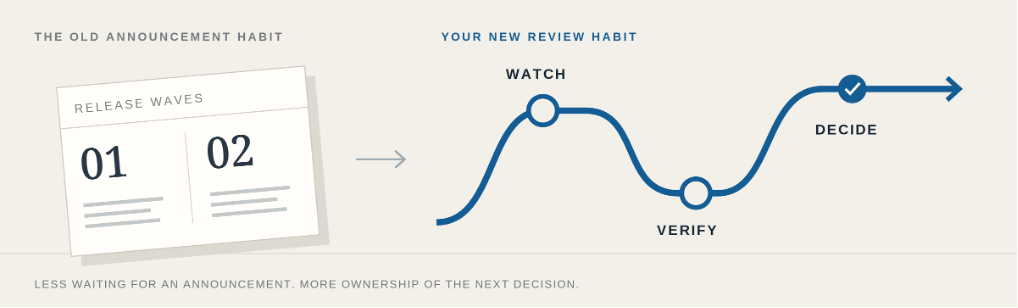
Turn the feed into a decision
Our recommendation: give one D365 owner 20 minutes a month with finance, supply chain and IT. Bring only changes that affect a live problem, a control or a funded priority. Nobody needs another meeting to admire release notes.
A roadmap status is only a starting point. “Rolling out” means the update is not yet available to every applicable customer.
LOGAN’S ROADMAP DECISION CARD
01
AVAILABLE HERE
Verify access, prerequisites and licensing. Test the actual transaction before approving adoption.
02
PREVIEW
Run a bounded evaluation. Record limitations and a fallback. Keep unproven capability off the critical path.
03
ON THE ROADMAP
Capture the feature ID and expected window. Recheck before committing scope or budget.
For every item: decision owner + next review date + evidence still missing.
Internal planning lanes, not Microsoft status labels. Apply the ownership rule to every item.
Small catch, real inconvenience: Microsoft says personalized My Release Plans views will not carry over. Before retirement, capture the features and notes your team relies on, then rebuild your watchlist around feature IDs and filtered exports. Keep Message Center for tenant-specific notices and Microsoft Learn for implementation details.
The Logan POV
Do not let a promised feature become the only answer to a problem you already have. If a buyer spends Friday chasing late supplier confirmations, improve today’s exception process while evaluating tomorrow’s automation. Fund the problem first. Let the evidence decide the tool.
REMEMBER ONE THING
A roadmap tells you what may arrive. Your release plan should say what you can rely on.
Logan’s environment-planning guide and SCM agent reality check are useful companions. Talk with our D365 team about the changes you are considering, the evidence you need, and a release plan your business can actually support.


