








Reviews and corrects ledger-to-subledger alignment in D365 by fixing posting configurations, inventory profiles, reconciliation logic, GL mapping, and critical reporting procedures.
MRP – Inventory position with a period template
Posted on: December 14, 2019 | By: David Occhionero | Microsoft Dynamics AX/365
I have recently come across a few instances of Dynamics (2012 and D365) where users are not aware of the period template and how it can be used in MRP. This setup is by no means mandatory, and if it is not configured it is not a big deal, but you may be missing out on some D365 capability.
Step 1
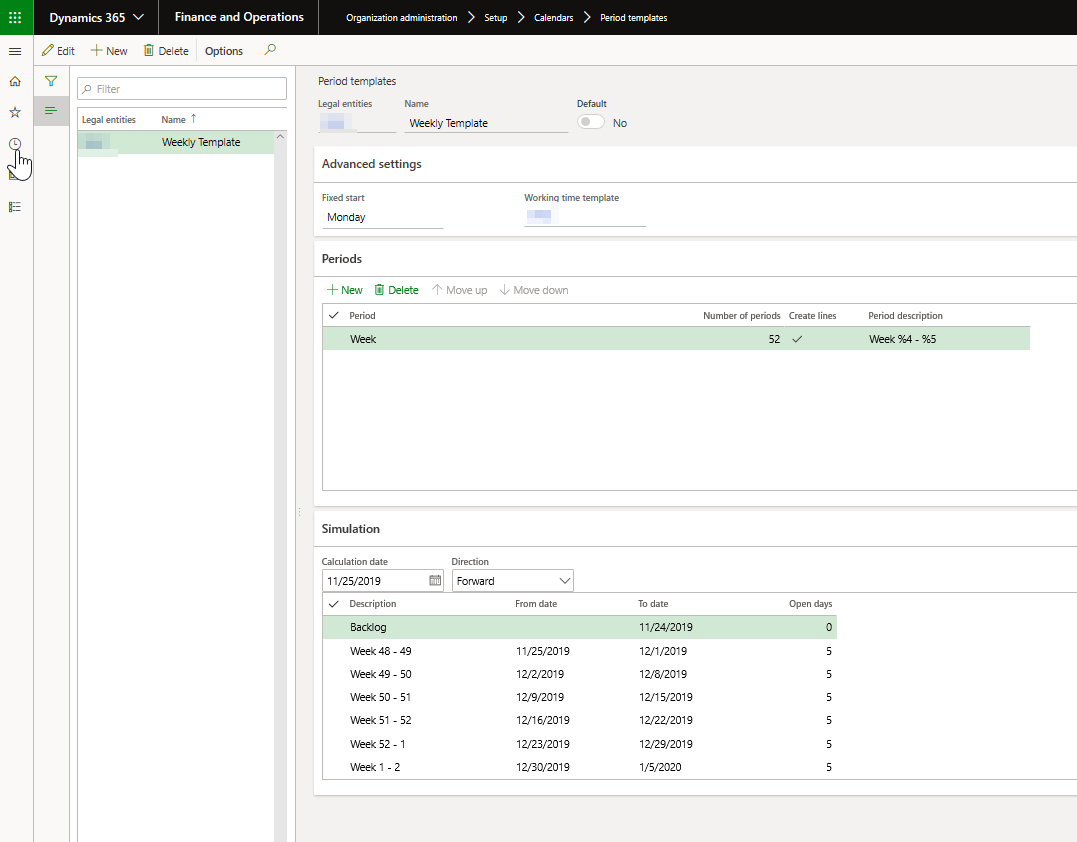
The first setup requires a period template to be configured. These are not configured under Master Planning, but rather Organization administration. This screen behaves and is setup similarly to other period setup screens in the system. As users create periods, D365 will also calculate a simulation of the period and how it would look under the simulation tab.
Step 2
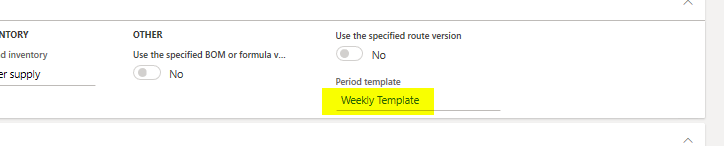
The second setup involved the assignment of a period template to a coverage group. Navigate to the coverage group in master planning and make the selection
Step 3
The third step allows you to view the period results from the net requirements screen.

This is a simple setup task that can provide a great deal of value for your business. It will now be easier to report on inventory positions at the end of a week or a month or whatever period you define.
For additional information please feel free to reach out to us at info@loganconsulting.com or (312) 345-8817.
All the best!
Logan Consulting
www.loganconsulting.com


