









Reviews and corrects ledger-to-subledger alignment in D365 by fixing posting configurations, inventory profiles, reconciliation logic, GL mapping, and critical reporting procedures.
Collection Letter Automation in D365 Finance – Part 2
Posted on: July 14, 2026 | By: Heather Zhu | Microsoft Dynamics AX/365, Microsoft Dynamics AX/365|Microsoft Dynamics Manufacturing

Turning setup into a scheduled collections engine that creates the right email, activity, or collection letter at the right time.
Part 1 built the foundation: collection letter sequences, posting profiles, accounts receivable parameters, customer pools, and process details. Part 2 is where the work becomes operational. We connect that setup to a recurring process automation schedule, validate who is in scope, and monitor what the system actually generates.
Logan reality check: if your dunning process depends on someone remembering who received which letter and when, the control is not the system – it is a very patient AR analyst with a calendar full of reminders.
Executive Takeaway
Collection letter automation is not just about sending letters. In Dynamics 365 Finance and Supply Chain Management, collections process automation can identify invoices that require an email reminder, a collection activity such as a phone call, or a collection letter. Microsoft describes it as a strategy-based approach that reduces time spent researching aged balances and applies collection activities consistently.
The consultant guide this Part 2 article is based on walks through the key operational step: creating the process automation schedule, configuring recurrence, reviewing the hierarchy created in Part 1, previewing customer assignment, and monitoring generated letters and activities.
Why the Schedule Matters
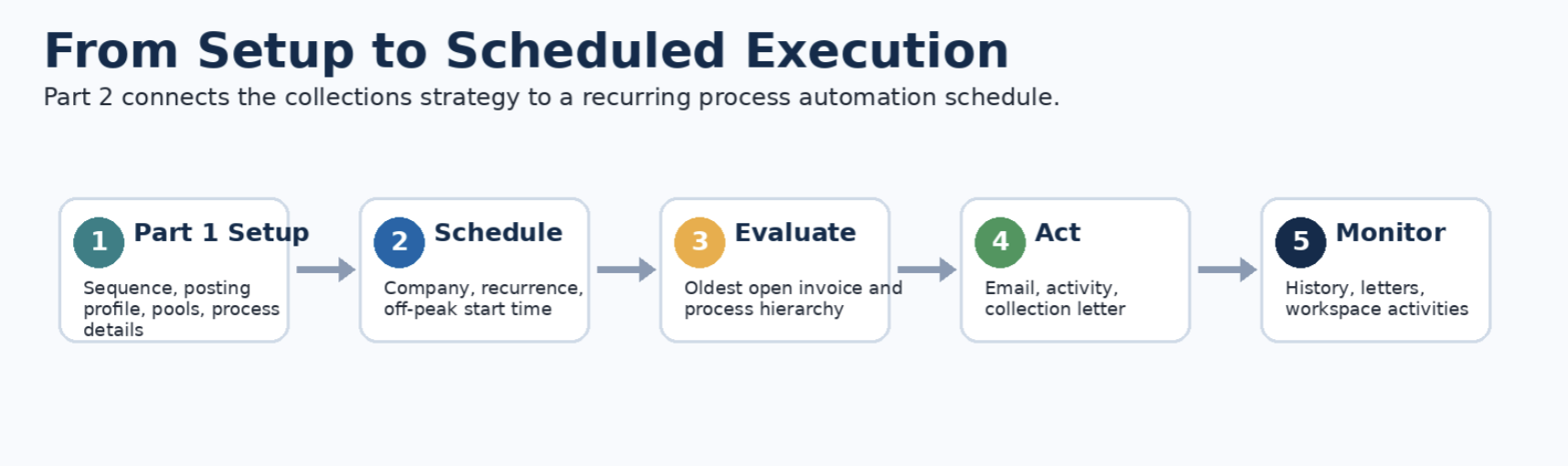
A collection process that runs only when someone remembers to run it is not automation. It is a scheduled intention with a human bottleneck. The schedule is what turns Part 1 configuration into recurring execution: D365 evaluates eligible customers, applies the process hierarchy, and creates the output the rule requires.
Microsoft notes that collection process steps are based on the leading, or oldest, open invoice. That point matters. The system is not randomly selecting a customer touch; it is using invoice timing to determine which communication or activity should occur for the customer.
This is also where finance should be deliberate. Collection automation should preserve customer experience, protect cash flow, and reduce manual work. It should not accidentally create a robotic reminder machine that sends customers three emails and a phone call before breakfast. Nobody wants their ERP to sound needy.
Step 1: Create the Process Automation Schedule
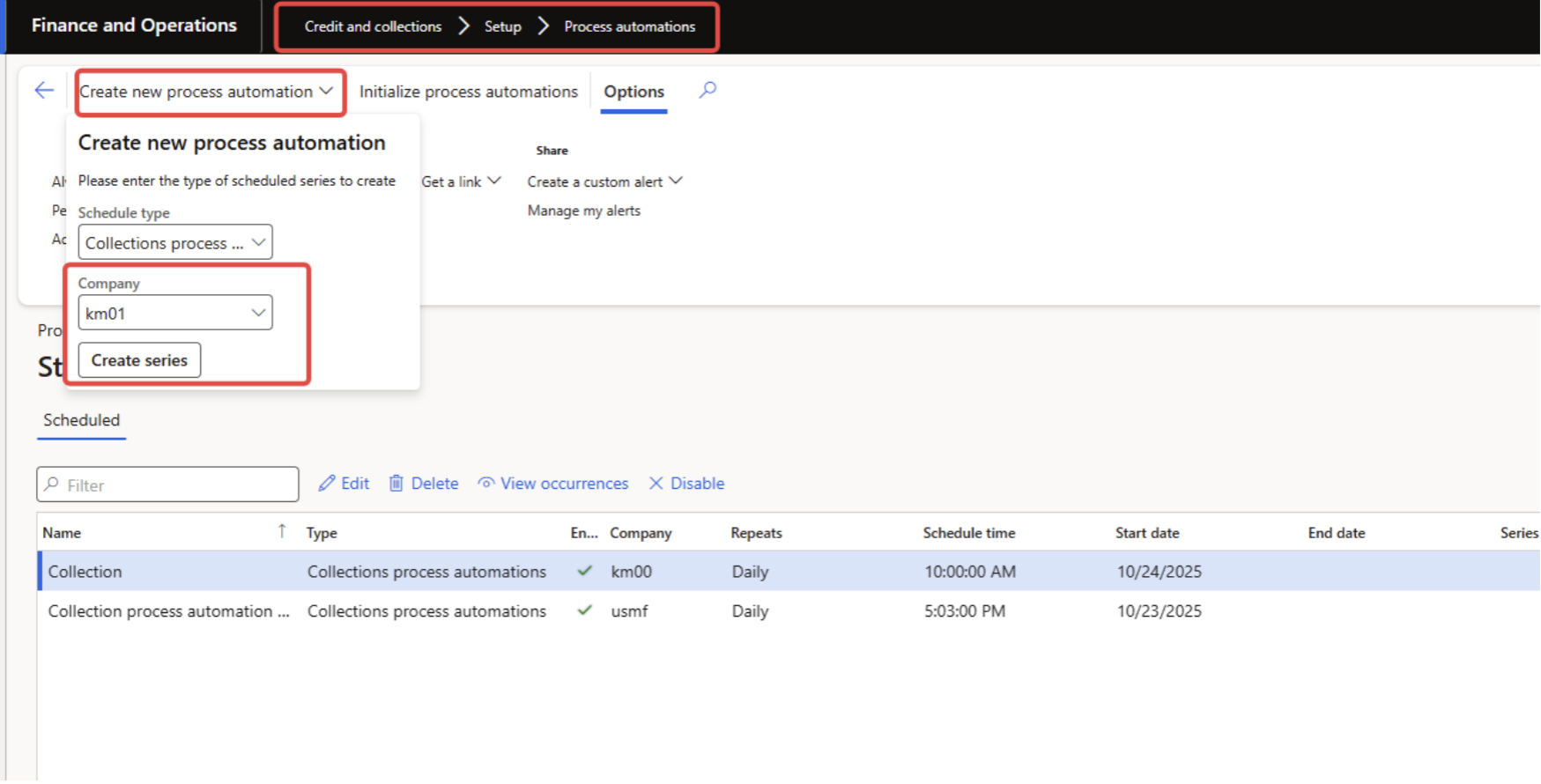
The consultant process begins in Credit and collections > Setup > Process automations, where users create a new collections process automation series for the legal entity. The schedule defines the recurring job that evaluates customer accounts and generates emails, activities, or collection letters based on the rules created in Part 1.
Step 2: Configure the Occurrence
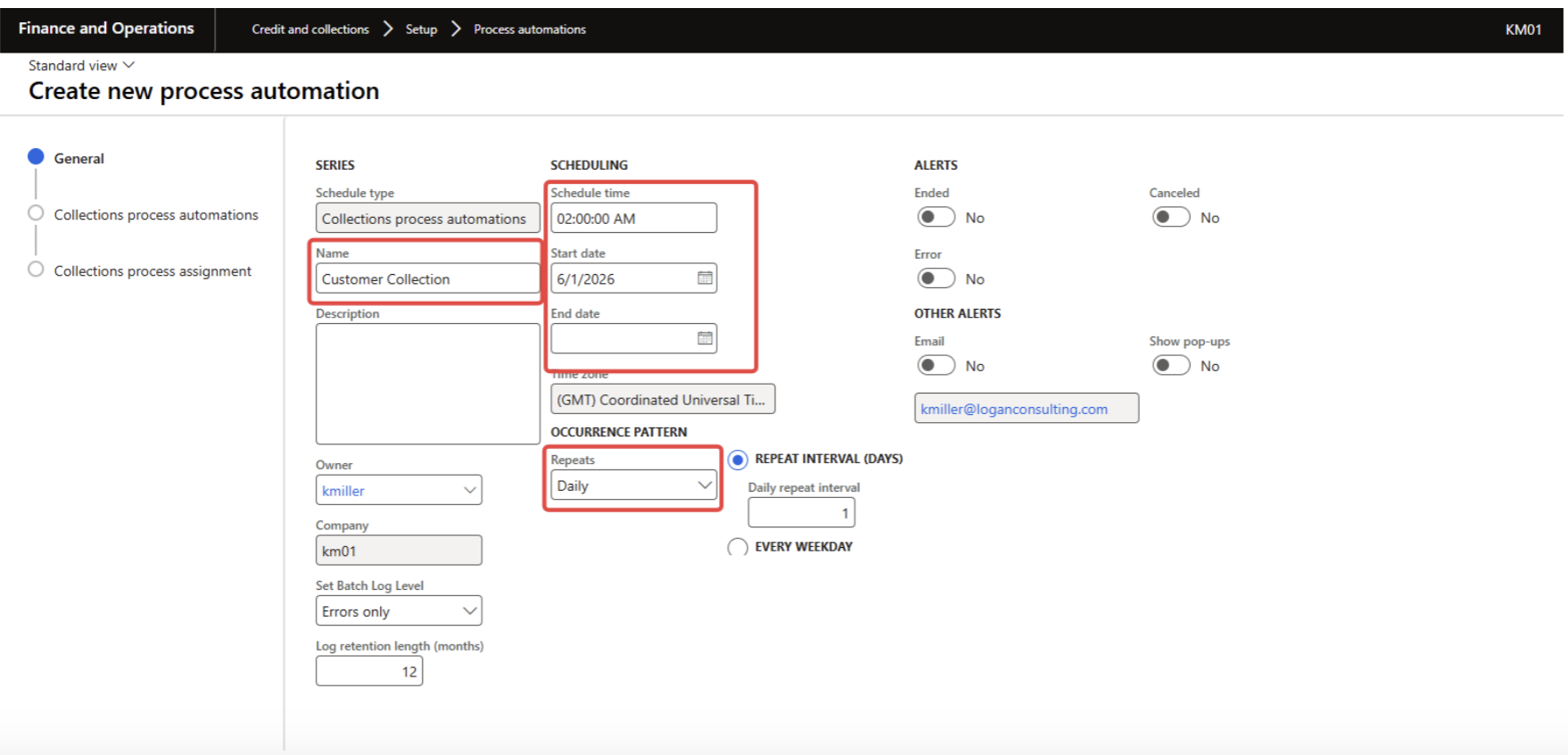
Next, configure the occurrence: process name, start date, end date, recurrence pattern, and start time. For production use, choose an off-peak start time – commonly before the collections team begins its day – so the system can prepare the day’s work before people start acting on customer accounts.
A practical name such as “Nightly Collection Letter Processing” is better than a vague label such as “AR Job 2”. Six months later, when someone asks what happened at 2:00 AM, naming discipline becomes a small mercy.
Step 3: Review the Process Hierarchy and Details
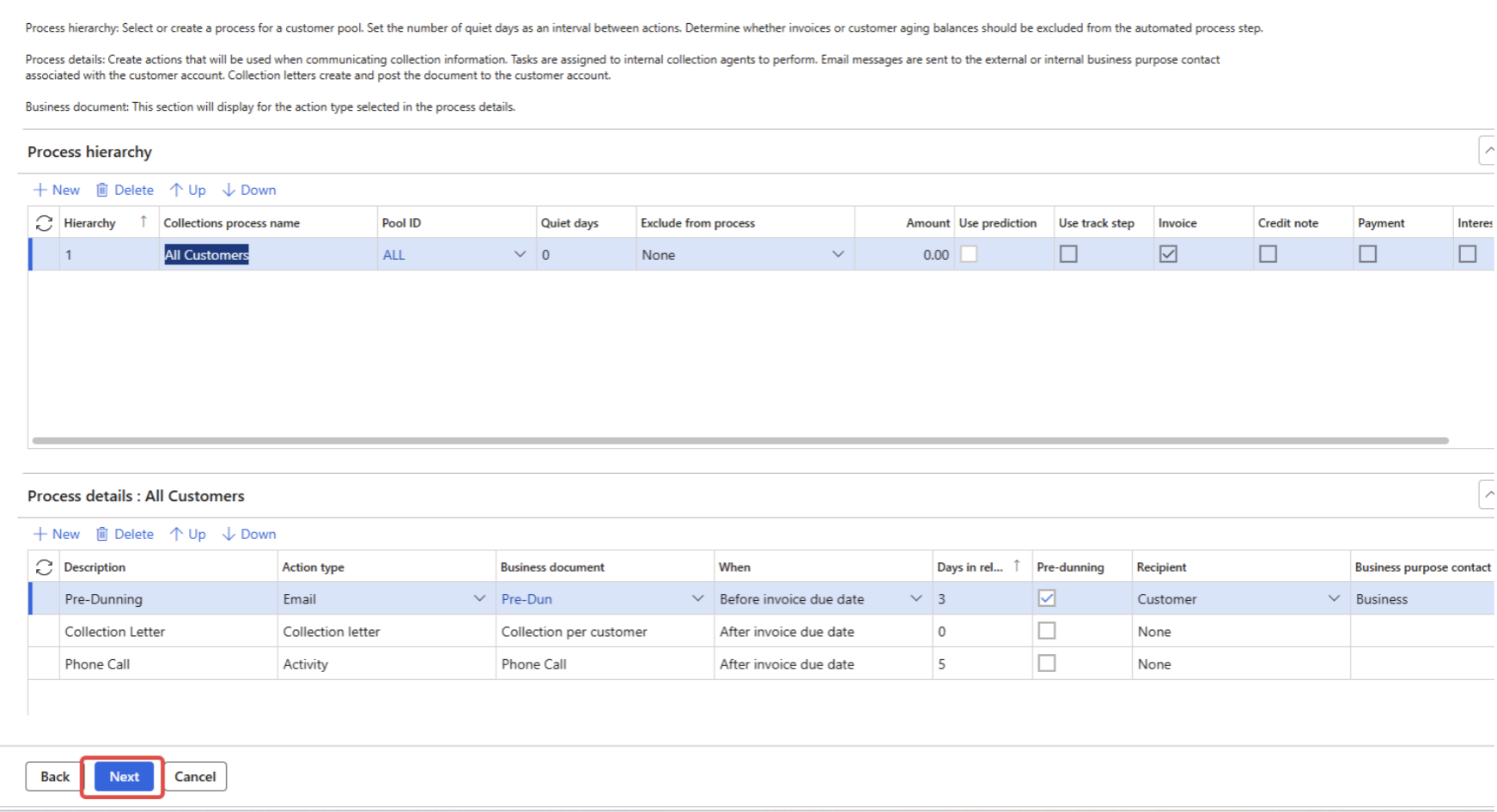
The next screen lets users review the process hierarchy from Part 1. This is not a formality. It is the point where finance confirms the sequence of customer pools, quiet days, action types, business documents, timing, pre-dunning settings, and recipients before the automation runs.
Microsoft’s FAQ makes an important distinction: the collections process setup does not replace the collection letter sequence; the two work together. The automation identifies the step that should happen, while the collection letter sequence controls the actual letter progression.
Another detail that trips teams up: collections process automation always runs as of the current date and, after it runs successfully, it will not run again on the same day. That makes testing discipline important. Do not treat production like a sandbox with customers attached.
Step 4: Preview the Collections Process Assignment
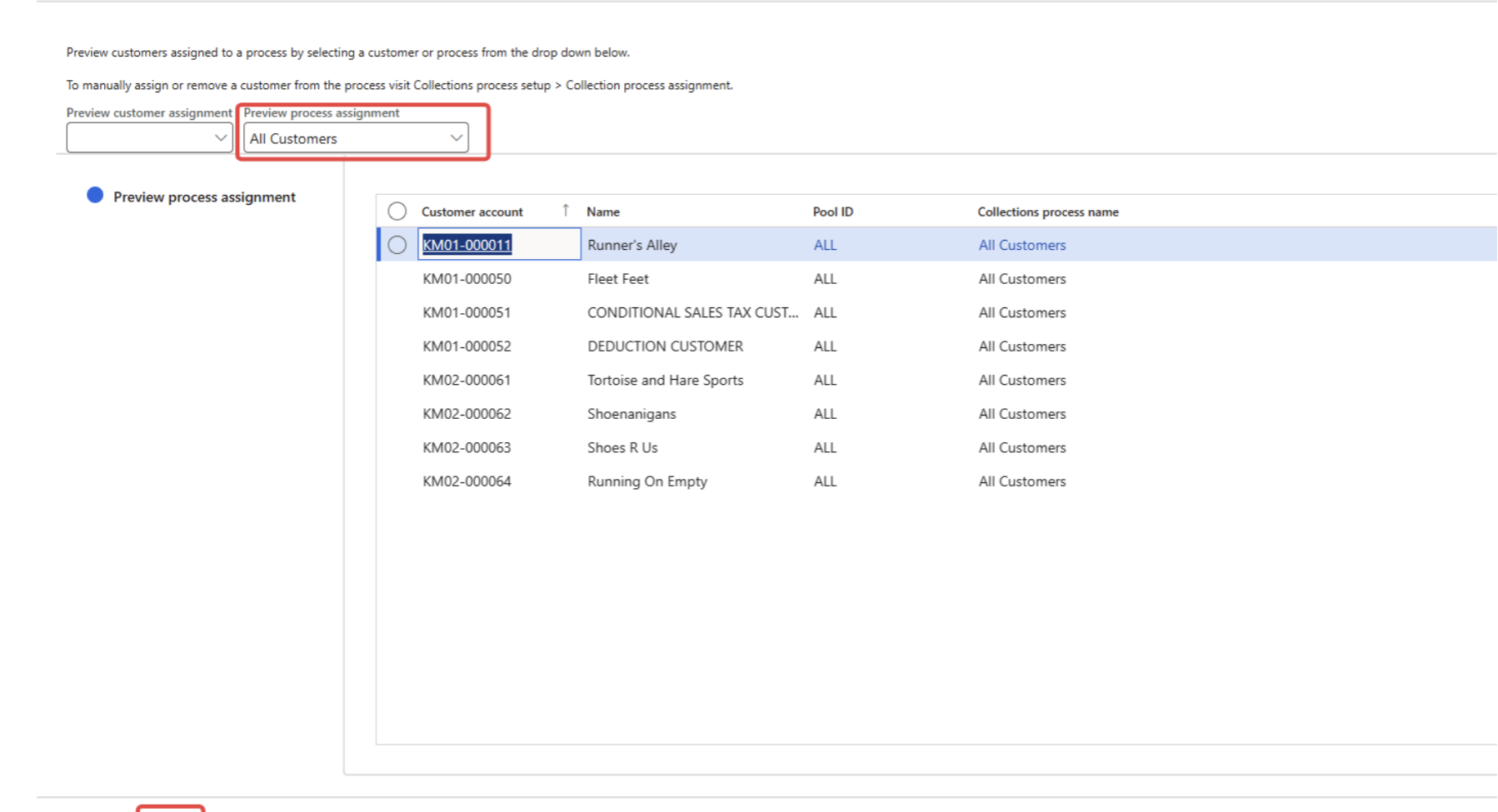
Before clicking Finish, preview which customers are assigned to the process. This validates that customer pools are doing what finance expects. Microsoft describes customer pools as query-defined groups that can filter collections and aging processes, making them one of the key controls for targeted collections.
This step is where you catch the awkward problems early: VIP customers accidentally included, inactive customers still in scope, or a customer group that should be excluded from automated communication. In collections, “oops” is not a communication strategy.
Step 5: Monitor Ongoing Automation
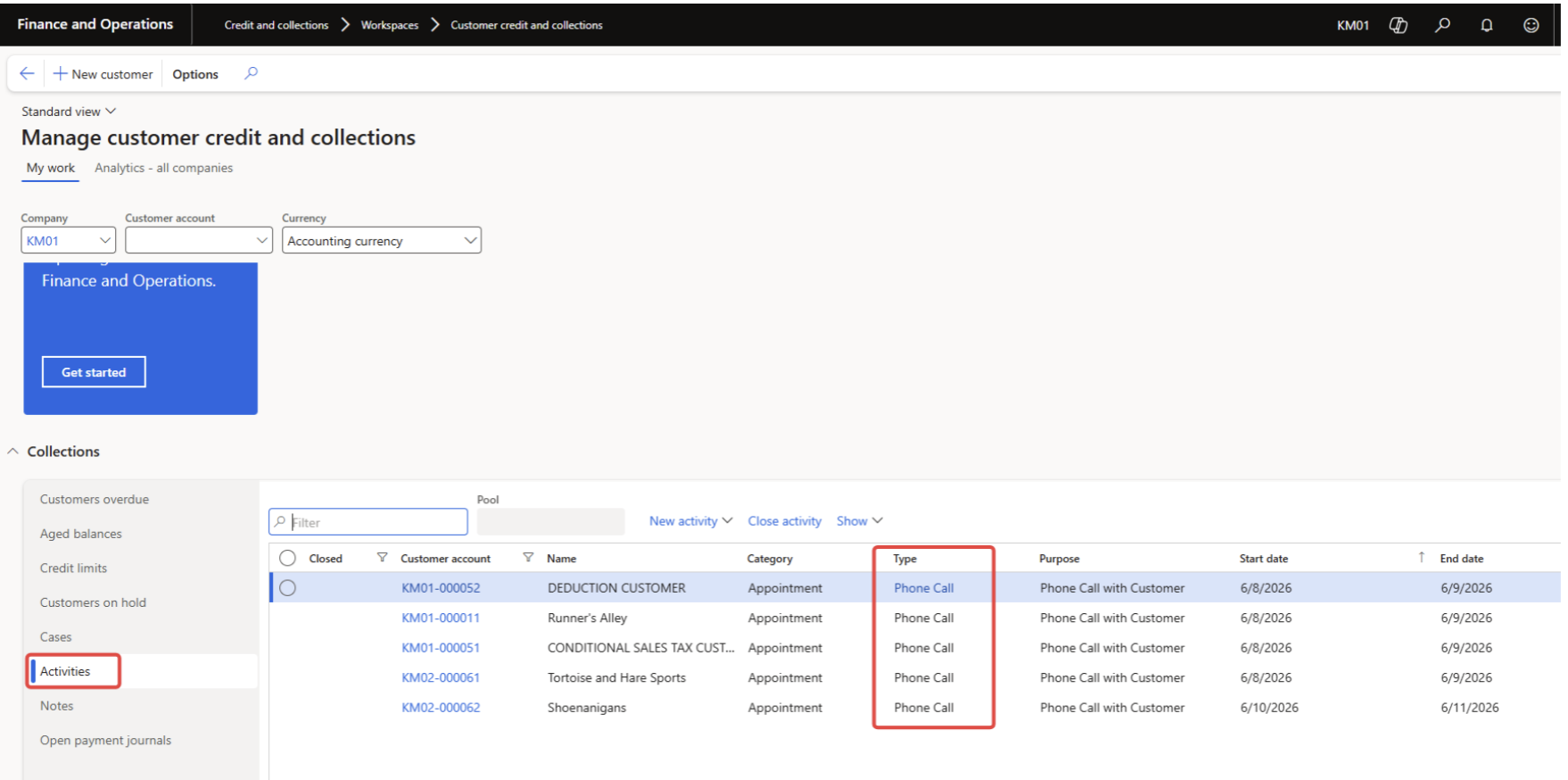
Once the schedule is live, monitor the process automation history. The consultant example shows that the automation generated a collection letter on June 9 and later generated several pre-dunning emails and a phone call activity on June 10.
Microsoft’s parameter documentation highlights settings that matter for monitoring and controls: percentage of customers per batch task, whether collection letters are posted automatically, whether activities are created for automation, how long history is retained, and whether invoices are excluded after activating the last process step.


Where to Review Collection Letters and Activities
To review collection letters created by automation, navigate to Credit and collections > Collection letter > Review and process collection letters. Microsoft’s collection letter processing guidance confirms this is where users can print and post collection letters after they are created.
For activities, use the customer credit and collections workspace. The centralized collections page lets teams manage collections information, view customer activity, and take action from a single page.
What to Measure After Go-Live
The operational win is not “the batch job ran.” The win is that collectors spend less time figuring out what to do and more time resolving the accounts that actually need human judgment.
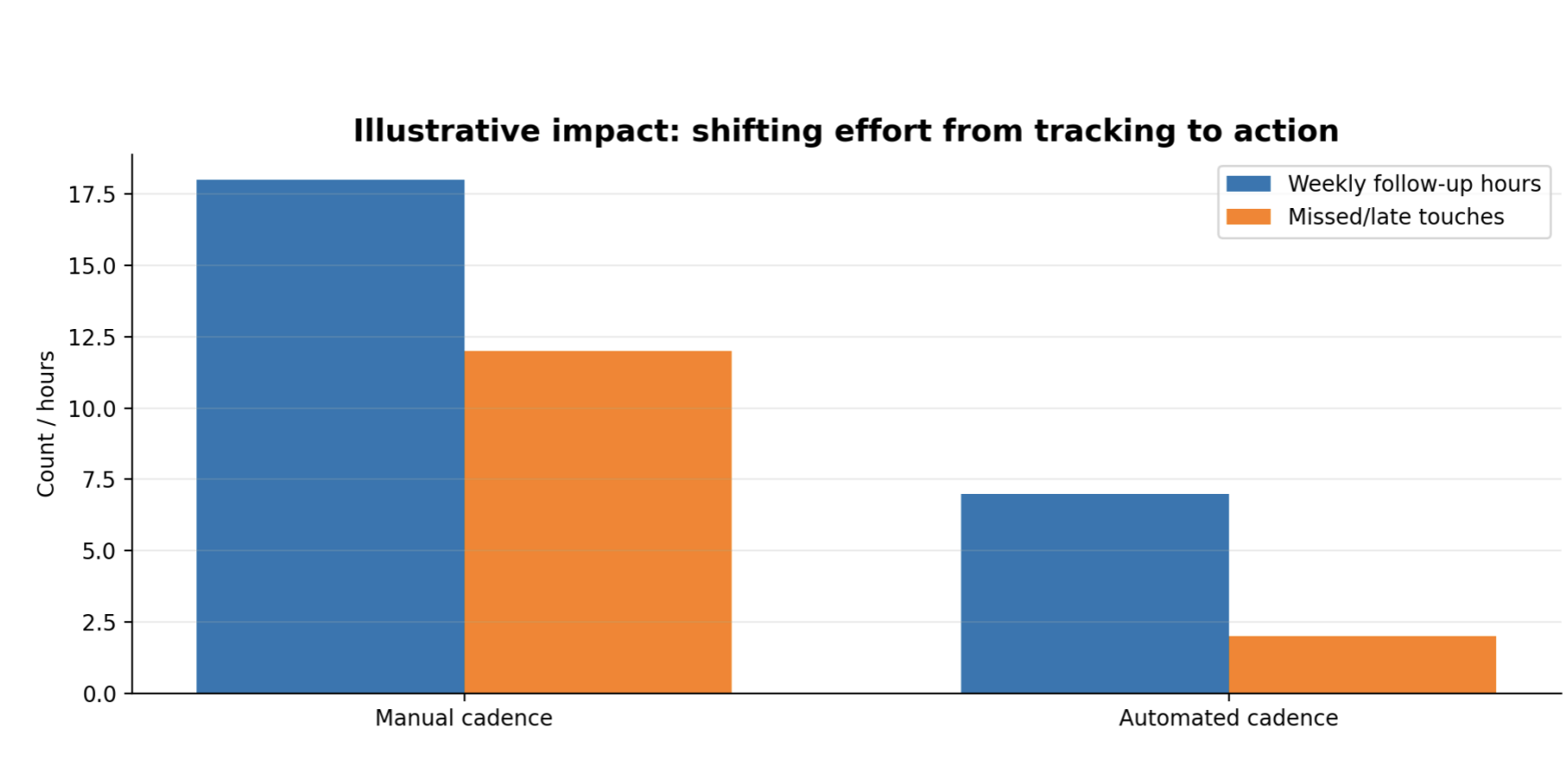
Useful KPIs include: automation run success rate, number of generated letters, number of generated activities, exception count, overdue balance by bucket, promise-to-pay follow-through, collector workload, and time from due date to first customer touch.
Best Practices for Part 2 Deployment
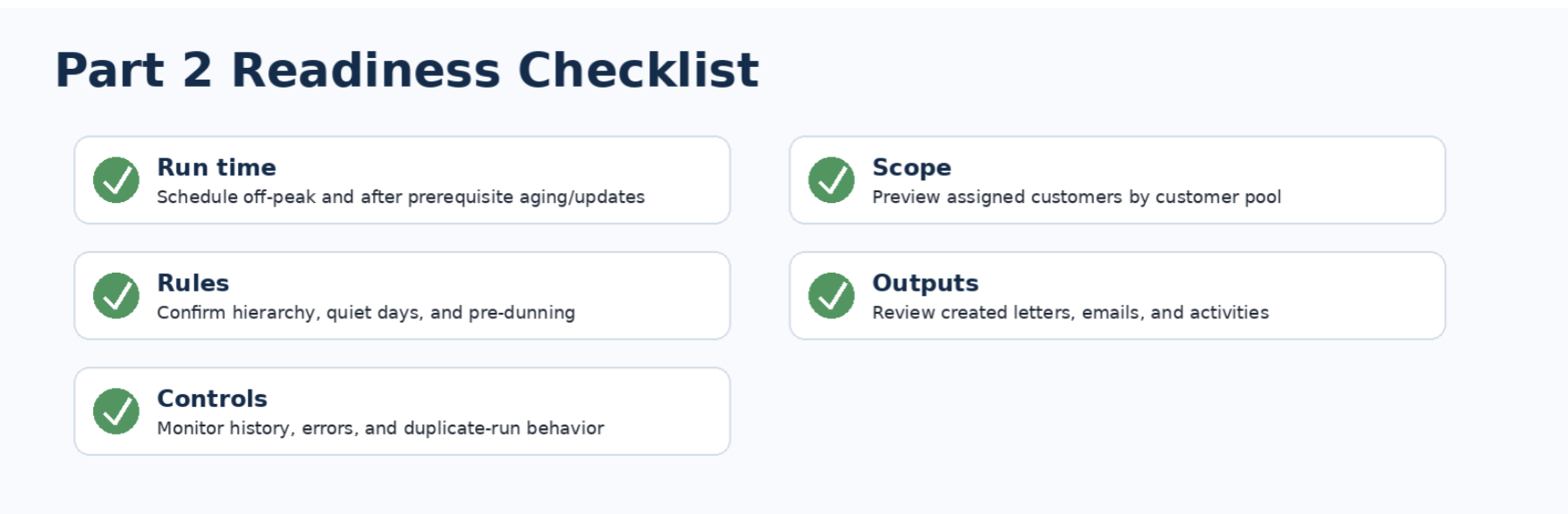
Start in non-production. Validate the hierarchy, recurrence, customer pool assignment, and generated outputs before scheduling production runs.
Schedule intentionally. Use off-peak timing, but also consider related jobs such as aging snapshots, payment imports, invoice posting, statement processing, and email distribution.
Decide whether auto-posting is appropriate. D365 can be configured to post collection letters automatically, but many organizations prefer review-and-post until the process is proven.
Watch the “per customer” nuance. Microsoft’s FAQ states that when collections process automation is used, collection letters are created per customer, not per transaction. That affects customer communication design and expectations.
Use history retention deliberately. Keep enough automation history to troubleshoot exceptions and prove what happened, but avoid keeping noise forever.
Review disputed and promised-to-pay behavior. Microsoft’s FAQ notes that if an invoice status changes to Disputed or Promised to pay, collections process automation can skip that invoice during processing. That is usually good – provided the statuses are used consistently.
Common Pitfalls
The most common issues are not exotic. They are usually configuration drift, unclear ownership, or treating the process as “set it and forget it.” Watch for these:
| Pitfall | Why it matters | How to avoid it |
|---|---|---|
| Schedule runs too early | Payments or postings may not be reflected yet | Run after payment imports and key AR jobs |
| Customer pool is too broad | Customers receive communication they should not receive | Preview assignment before finishing |
| Auto-posting enabled too soon | Letters post before business review is trusted | Start with review-and-post |
| Quiet days ignored | Customers are over-contacted | Align quiet days to policy |
| No error review owner | Failures sit unnoticed | Assign daily/weekly monitoring |
Final Thought
Part 1 defined the collections strategy. Part 2 makes it run. That is the real value of collection letter automation in D365 Finance: it turns dunning from a memory-driven task into a scheduled, measurable, policy-driven process.
Late payments will still happen. Customers will still need follow-up. Some invoices will still require judgment, negotiation, or dispute resolution. But the system can remove the administrative drag around who should be contacted, when, and how.
That matters because AR teams should not spend their best hours remembering what comes next. They should spend those hours improving cash flow.
With the right schedule, controls, monitoring, and customer policy, D365 helps collections become less reactive and more reliable. And reliable cash is usually more useful than heroic chasing. Heroics are exhausting. Cash is cash.


