










Reviews and corrects ledger-to-subledger alignment in D365 by fixing posting configurations, inventory profiles, reconciliation logic, GL mapping, and critical reporting procedures.
Before You Fund D365 Copilot, Run the No-AI Test
Posted on: October 14, 2026 | By: Heather Zhu | Microsoft Dynamics AX/365, Microsoft Dynamics AX/365|Microsoft Dynamics Manufacturing
N07 / THE AI BUSINESS CASE
A fair comparison separates better workflow from better AI. Start with a purchase-order workspace that supports both.
By Logan Consulting • 5-minute read
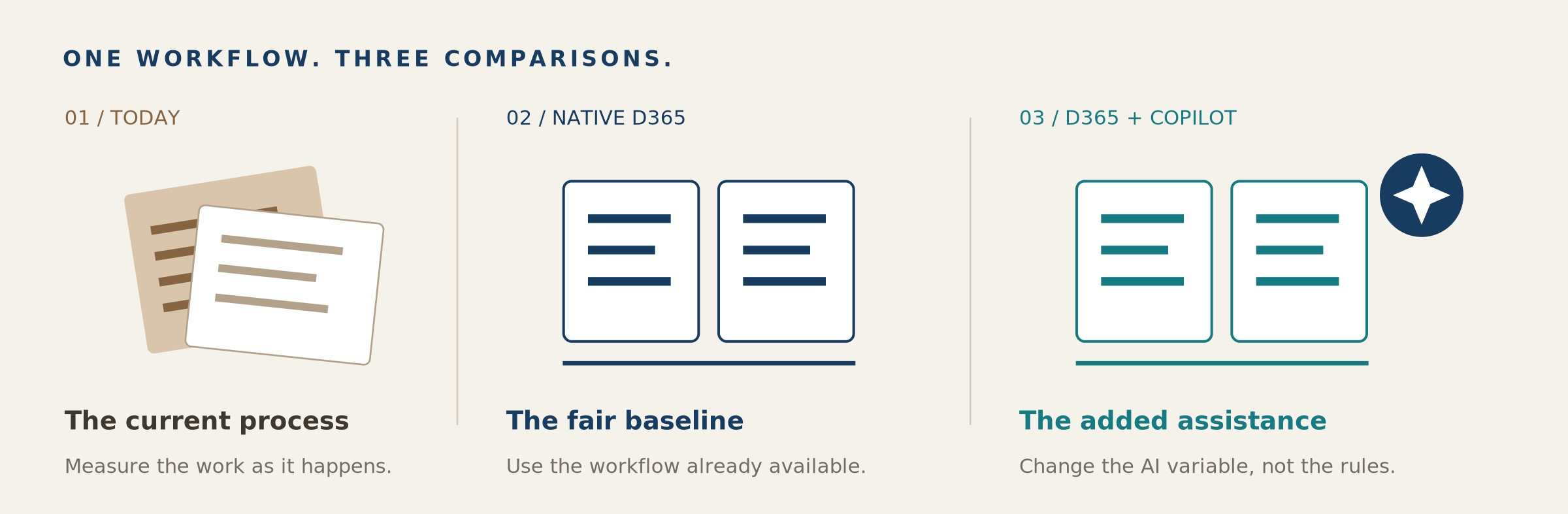
Hold the operating conditions steady. Measure workflow improvement separately from added AI assistance. Conceptual illustration.
Picture the meeting after an ERP conference. A buyer shows a supplier-change summary that appeared in seconds. The CFO asks how much time it will save. Someone multiplies today’s manual effort by next year’s transaction volume. The business case looks finished before anyone has tested the comparison.
This is an illustrative scene, but the decision is real: are you funding better AI, or finally using a better workflow? Compare Copilot with a well-configured, non-AI D365 process before assigning the entire improvement to AI. Otherwise, the pilot can be successful and the budget argument still be wrong.
Our Procurement Agent guide puts it plainly: “A polished demo can classify an email in seconds. That is not yet a business case.” 1 The next step is a fair comparison, not a bigger slide deck.
The Funding Rule
Only the improvement beyond a well-configured baseline belongs in the incremental AI business case.
01 / Build the comparison
Give Copilot a fair opponent
Dynamics 365 Supply Chain Management offers a useful test bed: Confirmed purchase orders with changes. Microsoft explicitly documents that this workspace can operate with or without its AI-powered and Copilot functionality. 3 That makes it possible to evaluate an established workflow separately from its summaries and communication drafts.
The workspace exposes changed quantities and dates and related downstream demand. Copilot adds natural-language summaries and draft vendor communications. 2, 5 This is the workspace’s embedded assistance, not a trial of the separate Procurement Agent’s supplier-email intake.
Use three comparisons: today’s process; the native workspace without AI assistance; and that same workspace with Copilot. Keep the buyers, training, transaction mix and decision standard comparable. The first comparison reveals workflow value. The second isolates the incremental value you are asking AI to earn.
How to run it in D365
Start in a supported sandbox, with an administrator and a purchasing owner. Open Procurement and sourcing > Workspaces > Confirmed purchase orders with changes. Use representative, previously confirmed POs with controlled quantity or receipt-date changes. Review the detailed lines and downstream references, then use Confirm purchase orders only for changes the buyer has approved. 2
For the AI-enabled comparison, follow Microsoft’s enablement guidance. In Power Platform admin center, open the linked environment, then Resources > Dynamics 365 apps, and verify Copilot in Dynamics 365 Supply Chain Management. Confirm Power Platform Integration and regional/language availability. Lifecycle Services-deployed developer environments do not support Copilot; choose a supported test environment. 4
If summarization tiles show a troubleshooting link, resolve the listed configuration gaps and select Recheck. 3 Do not disable a shared production capability to create the comparison. Use isolated test configurations or a documented no-AI review procedure; keep permissions and approval controls unchanged.
Two transactions worth keeping in the test pack
| TEST | ILLUSTRATIVE CHANGE | EVIDENCE TO EXPECT |
|---|---|---|
| SUCCESS CASE | Same quantity; receipt moves two days earlier. | With no known demand impact, verify the details and test buyer-approved reconfirmation. |
| EXCEPTION CASE | Receipt moves five days later than a linked production requirement. | Verify the direct impact, document the escalation and hold reconfirmation pending the decision. |
Illustrative acceptance cases, not executed tenant tests. The workspace considers direct downstream impacts, not every indirect production dependency. A low-impact label is not a blanket all-clear. 2
Keep the comparison fair
Begin with a small, balanced set of low- and high-impact changes in each comparison. Randomize comparable cases across buyers or rotate the order of the exercises. Do not let someone solve the same PO twice and count the second attempt’s familiarity as an AI benefit. A small operational pilot is a screening exercise, not statistical proof.
The Control That Stays
Both groups must reach a reviewed decision. A faster draft does not pass the test by itself.
02 / Separate the sources of value
Measure the increment, not the applause
Time the complete reviewed decision, including checking records, editing the draft and fixing mistakes. Track incorrect reconfirmations, missed escalations and later corrections alongside effort. Microsoft requires manual review of generated summaries and communications. 5 Keep outbound supplier messages disabled or routed to test recipients.
| Today’s process18 min | Native workspace12 min | Workspace + Copilot10 min |
Illustrative average minutes per completed, reviewed decision. Assumed volume: 1,200 comparable changes/month. Not measured results.
Suppose average handling time is 18 minutes today, 12 in the native workspace and 10 with Copilot. At 1,200 comparable changes a month, workflow improvement releases 120 hours; the additional AI improvement releases 40. Crediting AI with all 160 hours overstates its incremental contribution fourfold.
Those are illustrative capacity figures, not measured results or cash savings. Retain the case mix, timings, changed fields, downstream references, draft edits, final decision and reviewer. Repeat the comparison over normal operating variation before extrapolating.
Fund the smallest improvement that earns its place
Build the budget around that incremental result. Include setup, training, review, support and any applicable licensing or consumption charges. Do not copy an unrelated Microsoft 365 Copilot seat price into a D365 estimate, or assume every embedded feature uses an agent meter. Microsoft separately identifies Copilot Credit requirements for agents; validate the exact workload and entitlement. 6
Agree the decision before the pilot: expand if the added benefit covers the added cost and quality holds; repair the baseline if native D365 supplies most of the gain; stop if extra review consumes the benefit. A better native workflow is a useful outcome, not a failed AI project.
Logan’s AI advisory and delivery work includes readiness, use-case prioritization and value tracking. 7 Bring one purchase-order exception process. We can help define the comparison, verify the D365 setup and decide which investment the evidence supports.
Remember One Thing
Make AI beat the best practical baseline, not the worst version of today.
Sources & implementation notes
1. Logan Consulting: The Procurement Agent: It Is Not an Email Bot. August 18, 2026.
2. Microsoft Learn: Review and accept changes to confirmed purchase orders.
3. Microsoft Learn: Enable Copilot support for managing changes to confirmed purchase orders.
5. Microsoft Learn: Responsible AI FAQ for the Confirmed purchase orders with changes workspace.
6. Microsoft: Dynamics 365 Supply Chain Management pricing and licensing notes.
7. Logan Consulting: LoganAI Advisory & Delivery Services.
Sources checked October 14, 2026. Trial design, timings and transaction scenarios are Logan editorial proposals, not client results or executed tenant tests. Verify the target build, configuration, access and entitlements before use.


