









Reviews and corrects ledger-to-subledger alignment in D365 by fixing posting configurations, inventory profiles, reconciliation logic, GL mapping, and critical reporting procedures.
The D365 Finance Agents: The Close Should Not Begin at Month-End
Posted on: August 21, 2026 | By: Heather Zhu | Microsoft Dynamics AX/365
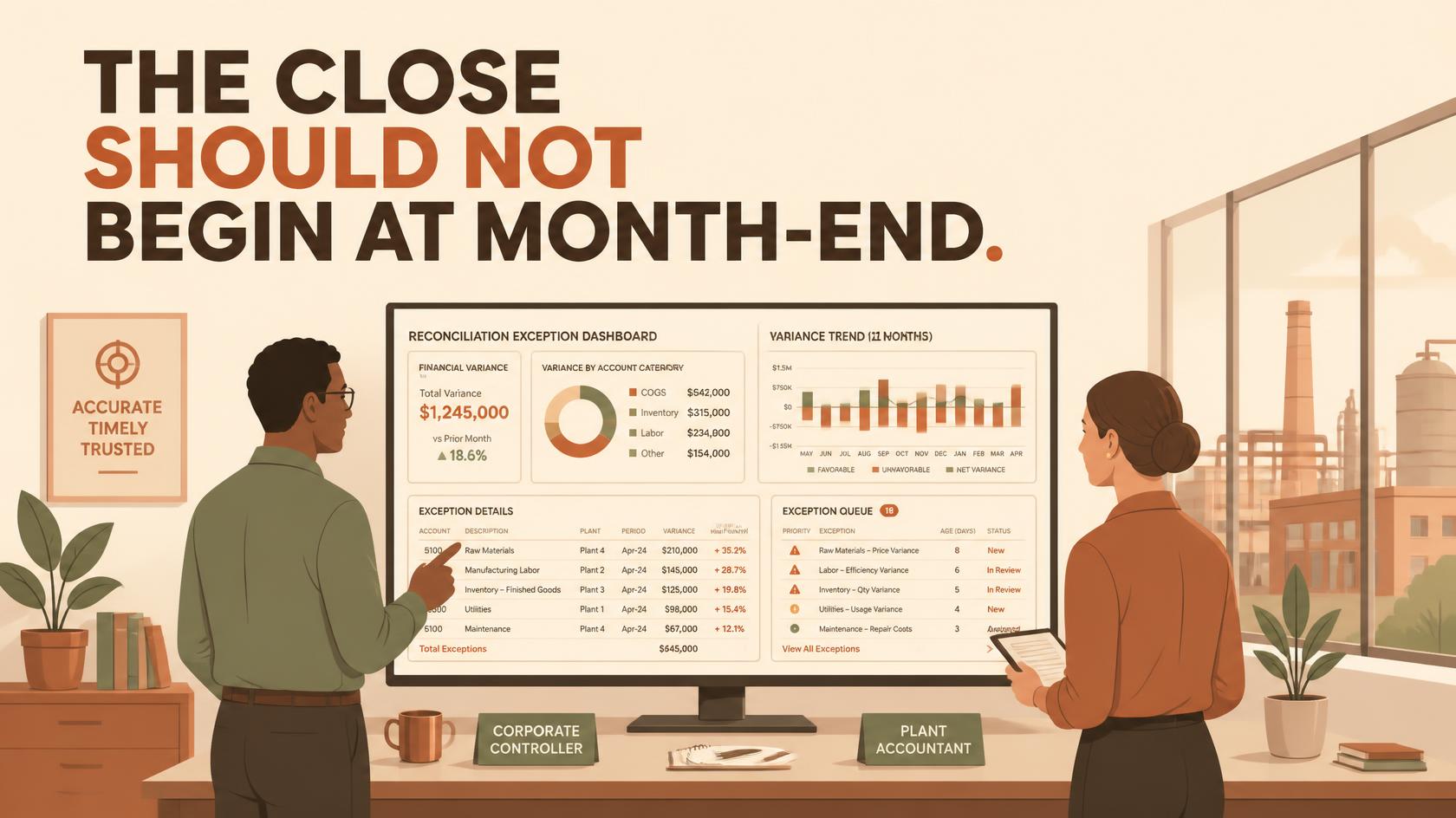
The month-end close is often treated as a calendar problem. Add people, move deadlines, and hope the reconciliations arrive on time. In reality, most close pressure is accumulated operational debt. Exceptions sit unresolved, supporting detail lives in spreadsheets, customer communication stays in Outlook, and explanations get assembled after the result is already late. This is Part 3 of Logan Consulting’s Dynamics 365 Agent Series, a practical field guide to the finance agents and agentic capabilities spanning Dynamics 365 Finance, Excel, Outlook, and Microsoft 365 Copilot.
Executive Takeaway
Microsoft’s finance-agent strategy attacks the close from two directions. The Account Reconciliation Agent works inside Dynamics 365 Finance, where the transactions and controls live. The broader Finance Agent works across Excel, Outlook, and Microsoft 365 Copilot, where finance professionals compare data, explain results, and communicate with customers. The objective is not “AI closes the books.” It is a continuously reconciled, exception-led operating model in which people spend less time assembling evidence and more time deciding what the evidence means.
Microsoft’s finance-agent strategy attacks the close from two directions. The Account Reconciliation Agent works inside Dynamics 365 Finance, where the transactions and controls live. The broader Finance Agent works across Excel, Outlook, and Microsoft 365 Copilot, where finance professionals compare data, explain results, and communicate with customers. The objective is not “AI closes the books.” It is a continuously reconciled, exception-led operating model in which people spend less time assembling evidence and more time deciding what the evidence means.
Executive Perspective
Finance agents are a control system, not an autonomous close.
Microsoft’s current finance-agent strategy attacks close pressure from two directions. The Account Reconciliation Agent works inside Dynamics 365 Finance, where the transactions and controls live. The broader Finance Agent works across Excel, Outlook, and Microsoft 365 Copilot, where finance professionals compare data, explain results, and communicate with customers.
Logan POV
The objective is not “AI closes the books.” The objective is a continuously reconciled, exception-led operating model in which people spend less time assembling evidence and more time deciding what the evidence means.
The objective is not “AI closes the books.” The objective is a continuously reconciled, exception-led operating model in which people spend less time assembling evidence and more time deciding what the evidence means.
|
2
Operating Layers
System of record plus system of work
|
4
Core Experiences
D365, Excel, Outlook, and Copilot
|
10.0.44+
Reconciliation Base
Account reconciliation feature
|
4 stages
Authority Model
Observe, recommend, approve, automate
|
The current portfolio in one page
| Layer | What it covers |
|---|---|
| Embedded D365 Agent | Account Reconciliation Agent. Production-ready preview; Microsoft activation currently required. |
| M365 Umbrella | Finance Agent across Excel, Outlook, and Microsoft 365 Copilot. |
| Excel Experiences | Financial Reconciliation agent, plus Variance Analysis and autonomous AI actions. |
| Outlook Experience | Collections support. Preview; customer context, drafting, and activity capture. |
| Language and Region | Current AI content and UI are En-US. Preview capabilities carry regional constraints. |
Availability is capability-specific. Microsoft labels the Account Reconciliation Agent a production-ready preview and currently requires Microsoft-assisted activation. Outlook collections and Variance Analysis remain preview experiences. The Finance Agent umbrella is available more broadly, but language, region, licensing, and tenant configuration still determine what a user can actually deploy.
The Landscape
One finance architecture, four working experiences.
“Finance agents” is useful shorthand, but it can blur product boundaries. Today there is one named agent embedded in Dynamics 365 Finance and a broader role-based Finance Agent that surfaces capabilities in Microsoft 365. Variance Analysis is an agentic capability inside that umbrella, not a separate out-of-the-box D365 agent. Collections in Outlook is likewise a Finance Agent experience. That distinction matters for deployment, support, and governance.
| Experience | Where It Works | General Application | Current Posture |
|---|---|---|---|
| Account Reconciliation Agent | D365 Finance | Continuously monitors subledger-to-ledger exceptions and recommends a disposition. | Production-ready preview; activation currently coordinated with Microsoft. |
| Financial Reconciliation agent | Excel | Compares two structured financial datasets, proposes reconciliation vectors, and produces a classified report. | Assistive or autonomous through templates and AI actions; preview constraints apply. |
| Variance Analysis | Excel | Explains material or selected variances and creates structured commentary with supporting detail. | Assistive or autonomous AI action; prerelease documentation. |
| Collections experience | Outlook | Brings D365 customer, aging, invoice, and activity context into the collections conversation. | Preview; focused on AR communication and activity capture. |
Across all four experiences, the same five-part pattern repeats:
- Transactions. D365 Finance remains the governed system of record.
- Exceptions. Reconciliation and aging surface the work that needs attention.
- Agent context. ERP data, Excel structures, and email threads are interpreted.
- Recommendation. The agent matches, explains, drafts, or proposes an action.
- Accountability. Finance reviews, acts, and retains the decision trail.
Architecture
System of record versus system of work.
| Inside Dynamics 365 | Across Microsoft 365 |
|---|---|
|
Protect the accounting truth
Use the embedded Account Reconciliation Agent where posting logic, legal entities, periods, subledgers, security, and audit history are authoritative. It should surface exceptions and recommend action without moving accountability outside the ERP.
|
Accelerate analysis and communication
Use Finance Agent in Excel and Outlook where accountants already reconcile extracts, investigate drivers, and answer customers. Connect back to Dynamics 365 through governed identities and the ERP Model Context Protocol when ERP context or action is required.
|
Design Principle
The spreadsheet can be the workspace. It should not quietly become the system of record.
The spreadsheet can be the workspace. It should not quietly become the system of record.
Agent 01 · Dynamics 365 Finance
Account Reconciliation Agent: move the close upstream.
Dynamics 365 account reconciliation is available from version 10.0.44 and replaces older reactive SSRS-based reconciliation with scheduled analysis and an exception workspace. The Account Reconciliation Agent adds the reasoning layer. It evaluates selected exceptions and recommends how the accountant might address them.
What it does now
- Runs within the Account reconciliation workspace and supports a more continuous review cadence instead of a period-end report ritual.
- Lets administrators set a start date, participating modules and their priority, daily or monthly exception limits, and optional usage or skipped-run alerts.
- Processes the documented Voucher amount mismatch and Pending accounting transferred to general ledger exception types.
- For voucher amount mismatches, can recommend Create journal entry; the user may instead reverse, link transactions, or accept without change.
- Records suggested fixes and reconciled activity in a timeline and provides an undo path for an addressed exception.
How a finance team uses it
- Configure the lane. Select the start date, modules, priorities, exception limit, and notifications. Confirm the settings before activation.
- Work the exceptions. Open the reconciliation workspace, filter the period and legal entity, and select an unresolved exception.
- Interrogate the recommendation. Review the source and ledger transactions, the exception type, materiality, and proposed resolution. Do not substitute a generated summary for accounting evidence.
- Choose the disposition. Accept the suggested journal entry or select reverse, link transactions, or accept without change according to policy and role authority.
- Retain the trail. Use the Activity pane to review agent and user actions, undo an incorrect reconciliation, and investigate the control or posting setup that produced it.
Current Boundary
The packaged agent is narrower than the continuous-close vision. Microsoft’s July 2026 documentation lists two processed exception types. Treat broader module and exception coverage as roadmap until it is present in your environment and current documentation.
The packaged agent is narrower than the continuous-close vision. Microsoft’s July 2026 documentation lists two processed exception types. Treat broader module and exception coverage as roadmap until it is present in your environment and current documentation.
Agent 02 · Microsoft Excel
Financial Reconciliation agent: make spreadsheet matching repeatable.
The Financial Reconciliation agent operates in the Finance Agent sidecar in Excel. It compares two datasets formatted as Excel tables, suggests the columns that should identify and measure a match, classifies transactions, and builds a report with a generated summary. It can run assistively in the moment or autonomously from a saved template.
The useful workflow
- Structure the inputs. Place each dataset in a proper Excel table on one or two worksheets. Preserve identifiers as text where long account, voucher, or invoice values could lose precision.
- Select the two tables. Open the Finance Agent add-in, choose Financial Reconciliation, and confirm, or replace, the tables the agent suggests.
- Validate the vectors. Review the proposed mapping keys and monetary columns. Add reference columns that help a reviewer understand the transaction after it is classified.
- Run and investigate. Review matched, potentially matched, and unmatched results, then inspect the copied reconciled sheets, identifiers, and supporting detail.
- Regenerate with judgment. Read the generative summary and suggestions, correct the inputs or criteria when needed, and save the output for evidence only after a finance reviewer approves it.
- Template the stable pattern. Save proven reconciliation criteria as a template. For autonomous operation, create a Financial Reconciliation agent that uses that template and notifies the owner when the run is complete.
Where it fits first
| Pilot | Description |
|---|---|
| 01. General ledger to AP detail | Compare a ledger extract with accounts-payable detail using controlled voucher, vendor, date, and amount keys. Start with one legal entity and one account family. |
| 02. General ledger to AR detail | Reconcile the ledger balance to customer transactions, preserving invoice and voucher references for investigation and audit evidence. |
| 03. AP supporting reconciliation | Use a repeatable two-table comparison for a bounded accounts-payable reconciliation where the source, owner, and mapping logic are already understood. |
| 04. AR supporting reconciliation | Compare controlled accounts-receivable datasets and route unmatched items by customer, age, reason, or responsible analyst. |
Accuracy Trap
Excel changes trailing digits to zeros for long numeric values. Microsoft explicitly warns that this can create false-positive matches. Treat long identifiers as text before the agent sees them.
Excel changes trailing digits to zeros for long numeric values. Microsoft explicitly warns that this can create false-positive matches. Treat long identifiers as text before the agent sees them.
Agentic Capabilities · Excel and Outlook
Explain the result, and carry the conversation forward.
Variance Analysis in Excel
Variance Analysis works from a pivot table and its underlying flat source data. Finance can define materiality or focus criteria in natural language, select specific variances, inspect the contributors, edit the generated commentary, and publish approved text as an Excel comment. The feature also creates detail and reference worksheets so reviewers can trace the explanation to the analyzed data.
- Use period-over-period structures for month-over-month, quarter-over-quarter, year-over-year, or custom comparisons.
- Save stable natural-language criteria as a template. Manually selected variances are useful for ad hoc work but cannot be saved into the same reusable template.
- For autonomous runs, create a Variance Analysis AI action with an event or schedule trigger, a SharePoint folder, a template, and up to ten notification recipients.
Logan POV
Generated commentary is a draft hypothesis, not management’s explanation. A driver can be mathematically important and still be operationally misleading. Finance owns the final narrative.
Generated commentary is a draft hypothesis, not management’s explanation. A driver can be mathematically important and still be operationally misleading. Finance owns the final narrative.
Collections in Outlook
The Outlook collections experience is designed for the collections coordinator who lives in customer email but needs current ERP context. Finance Agent can identify the customer, summarize inbound communication, show customer details, graph aging, list outstanding invoices, expose recent activities, and help draft a response. Free-text and sales-order invoices can be downloaded and attached to the draft.
- Save the email, an email summary, or a note against the selected customer so the next collector sees the history in the ERP-connected activity record.
- Use the feature for balance inquiries, invoice copies, follow-up, and documented action ownership, not for unreviewed promises, concessions, or disputes.
- Review currency, amounts, customer identity, invoice attachments, and tone before sending. Microsoft notes that summaries and drafts can be inaccurate, including around currencies.
Dynamics 365 Finance also includes a Collections coordinator summary and reminder-email draft inside the application. That is a valuable Copilot feature, but Microsoft does not describe it as a standalone deployable finance agent. The distinction prevents a rollout team from assuming that enabling an in-app summary automatically deploys the Outlook experience.
Practical Applications
Seven use cases that belong on a finance pilot shortlist.
| Use Case | Description |
|---|---|
| 01. The daily exception queue | Run account reconciliation on a defined cadence so AP, AR, tax, or bank exceptions appear before close week. Measure how long each exception remains unresolved and which posting patterns recur. |
| 02. The voucher mismatch | Let the Account Reconciliation Agent propose a disposition, then require the accountant to validate the source, materiality, and period before creating or selecting the corrective action. |
| 03. The repeatable AP reconciliation | Bring two controlled datasets into Excel, validate the mapping and monetary keys, then save the proven reconciliation as a template for recurring use. |
| 04. The recurring AR reconciliation | Classify matched and unmatched customer transactions, preserve invoice and voucher references, and route aged exceptions to the analyst who owns the account. |
| 05. The variance commentary pack | Analyze budget-to-actual or period-over-period results by account, department, product, or plant. Edit the narrative and retain its detail sheets as evidence. |
| 06. The collections reply | Answer a customer from Outlook with current aging and invoice context, attach the requested invoice, draft a professional response, and save the communication summary. |
| 07. The close cockpit | Combine agent activity, unresolved exception age, reconciliation status, AI-action completion, and ownership in a Power BI or operational dashboard around the managed capabilities. |
Pilot Filter
Prefer a lane with a repeatable source, a named owner, an established disposition, and enough volume to measure. Avoid the most politically sensitive or technically unusual reconciliation as the first proof.
Prefer a lane with a repeatable source, a named owner, an established disposition, and enough volume to measure. Avoid the most politically sensitive or technically unusual reconciliation as the first proof.
Human Judgment
A faster close still needs people who can explain it.
The agent’s output becomes valuable only when the right people can challenge it together. Controllers bring policy and materiality. Analysts bring the evidence. Accounts receivable brings customer context. Operations explains the event that created the number. Good design gives each role the same exception, the same supporting facts, and an explicit next decision.

|
01
Evidence
Trace the output to the transaction and source.
|
02
Authority
Name who may decide, post, send, or approve.
|
03
Learning
Capture overrides and recurring root causes.
|
The Operating Test
If a reviewer cannot explain the input, the rule, the recommendation, and the accountable decision, the experience is not ready for more autonomy.
If a reviewer cannot explain the input, the rule, the recommendation, and the accountable decision, the experience is not ready for more autonomy.
Deployment Playbook
This is two deployments, not one checkbox.
The embedded D365 agent and the Microsoft 365 Finance Agent share a finance objective but have different deployment paths. One is activated and managed through the Dynamics 365 or Power Platform agent foundation. The other adds Excel, Outlook, Dataverse, Microsoft 365 administration, and, when connected to D365, the Dynamics 365 ERP Model Context Protocol. Treat them as coordinated workstreams with one control design.
Readiness gate
| Area | Minimum Question | Evidence to Collect |
|---|---|---|
| D365 application | Are account reconciliation and the required agent or Copilot foundations available? | Version and build, enabled features, linked Dataverse, legal entities, and participating modules. |
| Microsoft activation | Has the Account Reconciliation Agent been accepted for activation? | Microsoft request, environment scope, deployment-wizard results, and target date. |
| Microsoft 365 | Who receives Excel, Outlook, and Copilot access? | Admin-deployed user groups, app permissions, supported region and language, and license review. |
| Dataverse | Which environment owns templates and autonomous actions? | Environment strategy, Finance Professional or Admin roles, connections, DLP, and ALM. |
| ERP connection | Will Finance Agent read or act on D365 data? | Dynamic MCP prerequisites, allowed client IDs, user authentication, and a security-role test. |
| Data | Are keys, dimensions, dates, currencies, and identifiers stable? | Sample tables, precision test, mapping rules, source ownership, and refresh cadence. |
| Controls | Which outcomes require review, approval, or segregation? | Materiality, journal authority, communication rules, audit evidence, and exception ownership. |
| Capacity | How will agent use and run limits be monitored? | Exception limits, usage alerts, Copilot or Power Platform capacity view, and pilot baseline. |
Deployment facts that should change the plan
- Account reconciliation is available from D365 Finance 10.0.44, but the agent itself is prerelease and currently requires Microsoft-assisted activation. Verify the current build and activation process before scheduling go-live.
- The dynamic Dynamics 365 ERP MCP server requires D365 10.0.47, 10.0.46 PQU-2, or 10.0.45 PQU-7, plus an allowed client and a Tier 2+ or Unified Developer Environment. It is not supported on Cloud Hosted Environments.
- The older static Dynamics 365 ERP MCP server retires October 1, 2026. New work should use the dynamic server so a pilot does not become a migration project weeks later.
Implementation and Use
A controlled path from proof to production.
- Pick one finance decision. Choose one reconciliation pair, one exception type, one variance pack, or one collector portfolio. Avoid a pilot called “automate close.”
- Baseline the work. Measure current touch time, elapsed time, exception age, correction rate, close timing, and evidence quality before the agent is enabled.
- Prepare the accounting design. Confirm account structures, posting profiles, dimensions, legal entities, reconciliation ownership, materiality, and approved dispositions.
- Prepare the platform. Run deployment validation, assign least-privilege roles, configure Dataverse and Microsoft 365 apps, allow the correct MCP clients, and test DLP and connection ownership.
- Prepare representative data. Use current, reconciled test data and include difficult examples: long identifiers, many-to-one matches, currency differences, late postings, and ambiguous customer email.
- Run in recommendation mode. Keep journals, reconciliation dispositions, narratives, and customer messages under human review while match quality and user behavior stabilize.
- Promote only the stable pattern. Save a reconciliation or variance template only after reviewers agree on its logic. Add an autonomous AI action after the template produces repeatable results and ownership is explicit.
- Scale by evidence. Expand entities, accounts, schedules, or automatic actions only when control, accuracy, cost, and adoption thresholds are met.
A four-phase authority model
| Phase | Agent Authority | Exit Signal |
|---|---|---|
| 1. Observe | Run beside the existing process; no accounting or customer action. | Inputs and classifications are reliable; defects are understood. |
| 2. Recommend | Suggest matches, dispositions, explanations, and drafts. | Reviewers agree with the recommendation at an acceptable rate. |
| 3. Approve | Allow users to apply bounded outcomes after role-based review. | Low correction rate, complete evidence, and clear failure handling. |
| 4. Automate | Schedule only proven templates or low-risk actions with notifications. | Benefits scale without control, capacity, or trust drift. |
Best First Pilot
One legal entity, one reconciliation family, one accountable owner, one approved set of keys, and one month of side-by-side evidence. Boring pilots are underrated; auditors tend to enjoy them too.
One legal entity, one reconciliation family, one accountable owner, one approved set of keys, and one month of side-by-side evidence. Boring pilots are underrated; auditors tend to enjoy them too.
Boundaries and Cautions
Know where the agent stops and accounting starts.
| The Agent Can Accelerate | Finance Must Still Own |
|---|---|
| Exception detection, matching suggestions, and structured reconciliation output. | Accounting policy, materiality, chart design, posting configuration, and final disposition. |
| Draft journal-entry recommendation for a documented mismatch scenario. | Journal support, approval, segregation of duties, period control, and auditability. |
| Generated variance commentary with detail and references. | Operational context, causality, management message, and disclosure judgment. |
| Customer context, email summarization, reply drafting, and activity capture. | Customer identity, amount and currency accuracy, commitments, disputes, and relationship decisions. |
| Autonomous runs based on templates, schedules, or events. | Template approval, source-file control, monitoring, escalation, and change management. |
Eight cautions worth putting in the charter
- Preview posture. Account Reconciliation is production-ready preview; Outlook collections and Variance Analysis are preview. Product behavior, terms, and setup can change.
- Narrow current coverage. The embedded agent currently documents two processed exception types. Do not sell the roadmap as deployed capability.
- Microsoft activation. Until planned configuration and credit-consumption improvements arrive, Microsoft must activate the Account Reconciliation Agent.
- Language and region. Finance Agent AI content and UI are currently En-US, and Microsoft’s responsible-AI guidance describes US-region constraints for preview reconciliation and collections.
- Spreadsheet precision. Long numeric identifiers can be altered by Excel and create false matches. Table structure, data type, and clean keys are control requirements.
- Narrative risk. Variance commentary can identify a contributor without understanding the business cause. Review every explanation before it becomes management reporting.
- Communication risk. Outlook summaries and drafts can be wrong, including for currencies. Require review of customer, invoice, amount, attachment, and commitment before send.
- Permission is capability. Dynamic MCP reflects the authenticated user’s D365 permissions and configuration. Broad roles create broad agent scope; least privilege is part of the design, not a post-go-live cleanup.
Red Flag
If the design asks the agent to create material journals, explain earnings, or make customer commitments without accountable review, the proposed authority has outrun the current product and the control model.
If the design asks the agent to create material journals, explain earnings, or make customer commitments without accountable review, the proposed authority has outrun the current product and the control model.
Modification and Internal Fit
Configure the managed capability. Extend the operating model.
“Can we modify it?” is really four questions. Finance can configure the packaged experience, standardize the process around it, extend notifications and analytics, or build a companion agent for a distinct workflow. Those are different levels of risk and supportability.
| Layer | What Changes | Finance Example |
|---|---|---|
| 1. Configure | Supported settings, limits, templates, and criteria. | Module priority, exception thresholds, alerts, reconciliation vectors, reference columns, variance criteria, schedule, and recipients. |
| 2. Operationalize | Policy, ownership, evidence, and review behavior. | Materiality bands, disposition matrix, close calendar, journal approval, narrative sign-off, collector commitments, and retention. |
| 3. Extend around | Low-code workflow, analytics, and collaboration. | Route aged exceptions, notify a controller, create a close task, build a Power BI cockpit, or assemble an audit pack. |
| 4. Build beside | A companion Copilot Studio agent using governed ERP tools. | Investigate a unique multi-entity finance exception, retrieve role-permitted D365 context, and hand the result into an approved workflow. |
The dynamic Dynamics 365 ERP MCP server exposes finance and operations data and business logic according to the authenticated user’s permissions, extensions, and personalization. That makes it the preferred integration surface for new companion agents. X++ AI plugins can expose additional actions, but Microsoft still labels that route preview; production use needs an explicit risk decision.
Modification Rule
Start at Layer 1 and move outward only when the business requirement survives a fit-gap review. Every step away from packaged configuration adds ownership, testing, release, and support obligations.
Start at Layer 1 and move outward only when the business requirement survives a fit-gap review. Every step away from packaged configuration adds ownership, testing, release, and support obligations.
Logan Enablement Model
Where a Logan internal technical resource adds leverage.
A finance-agent program cuts across accounting, F&O, Power Platform, and Microsoft 365. The resource model should mirror those boundaries and leave a named operational owner after the project team departs.
|
Finance Design
Turn policy into an executable lane
Map subledger-to-ledger relationships, close tasks, dimensions, materiality, evidence, and journal authority. The agent should inherit a sound accounting process, not improvise one.
|
F&O Application
Make D365 decision-ready
Validate versions, features, posting profiles, reconciliation setup, legal entities, roles, data quality, and the transaction patterns that create recurring exceptions.
|
|
Power Platform & MCP
Build the governed connection
Configure Dataverse, environments, roles, DLP, allowed clients, connections, deployment, ALM, monitoring, and the dynamic ERP MCP boundary.
|
Excel & Analytics
Engineer the finance workbench
Create controlled source tables, preserve identifier types, define templates, establish variance criteria, and build operational dashboards without inventing a shadow ledger.
|
|
Controls
Design trust and auditability
Document review points, segregation of duties, override reasons, evidence retention, exception aging, and promotion criteria for autonomous runs.
|
Adoption
Put the work where finance can own it
Create test packs, role-based work instructions, office hours, and metrics that show whether the team is making faster, safer decisions, not merely opening the add-in.
|
The Logan Difference
A good technical resource does not “customize AI” in the abstract. It converts finance policy, D365 configuration, and Microsoft 365 work patterns into a bounded service that someone can support on the first day of close.
A good technical resource does not “customize AI” in the abstract. It converts finance policy, D365 configuration, and Microsoft 365 work patterns into a bounded service that someone can support on the first day of close.
Value, Governance, and Conclusion
Measure the health of the close, not the novelty of the demo.
| Outcome | Primary Measure | Diagnostic Measure |
|---|---|---|
| Continuous reconciliation | Unresolved exceptions by age and materiality. | Exceptions created, auto-matched, reopened, and repeated by root cause. |
| Close velocity | Elapsed days or hours to close the selected scope. | Time from exception detection to disposition; tasks completed before close week. |
| Reconciliation quality | Approved matches without later correction. | Potential or unmatched rate, key overrides, precision defects, and template changes. |
| Narrative quality | Approved variance commentary with minimal rework. | Edits per insight, unsupported drivers, and time to management-ready explanation. |
| Collections execution | Response and action-cycle time for the pilot portfolio. | Invoice attachment accuracy, activity capture, promise or action follow-through, and dispute routing. |
| Control and audit | Complete evidence for sampled decisions. | Unauthorized actions, SoD exceptions, undone reconciliations, and missing approvals. |
| Economics | Benefit per completed finance outcome. | Capacity or credits, run failures, analyst touch time, and support effort per scope. |
Each pilot should publish a simple scorecard that separates outcome, accuracy, control, adoption, and consumption. The promotion decision is not “did it run?” It is whether the lane is more timely, better evidenced, and no harder to support. A green productivity metric cannot compensate for a red control metric.
Promotion Threshold
Advance from recommendation to approval, or from approval to autonomous scheduling, only after finance, security, and the operating owner sign the same evidence pack.
Advance from recommendation to approval, or from approval to autonomous scheduling, only after finance, security, and the operating owner sign the same evidence pack.
Conclusion
The closing position.
Dynamics 365 Finance agents are not a single magic accountant. They are a developing set of controls and work accelerators placed at four important moments: when a subledger exception appears, when two datasets must be reconciled, when a result must be explained, and when a customer conversation needs current financial context.
The strongest implementation keeps Dynamics 365 as the accounting truth, uses Microsoft 365 as the governed work surface, and gives the agent authority only after a repeatable finance pattern has earned it. Start with one high-friction lane. Baseline it. Fix the data. Run beside the current process. Promote a template only when reviewers can explain why it works, and what happens when it does not.


