









Reviews and corrects ledger-to-subledger alignment in D365 by fixing posting configurations, inventory profiles, reconciliation logic, GL mapping, and critical reporting procedures.
D365 Vendor Bank Changes: Did You Check the Other Door?
Posted on: October 5, 2026 | By: Heather Zhu | Microsoft Dynamics AX/365|Microsoft Dynamics Manufacturing, Microsoft Dynamics AX/365
Controls & Payments / Microsoft Dynamics 365 Finance
An approval workflow can work perfectly while an import follows different rules. Before the next payment run, test both.
By Logan Consulting | October 5, 2026 | 3-minute read
Illustrative Payment-Run Scenario
Picture a Friday payment run. A supplier has sent new bank details. Accounts payable expects an approval. IT confirms that the file imported successfully. Someone asks: “The upload worked. Doesn’t that mean it’s approved?”
That is an excellent question to ask before the money moves. Preferably not while everyone is putting on a coat.
The important distinction is between moving data and authorizing a change. A successful import is not, by itself, evidence that the approval you intended took place.
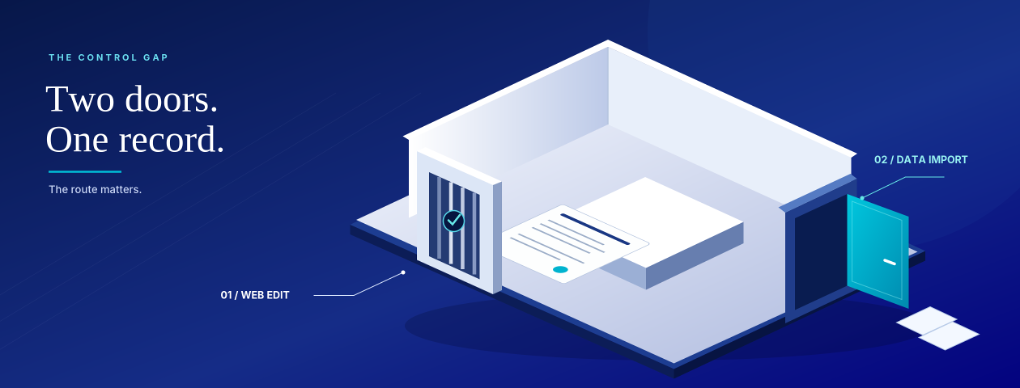
The other door
Microsoft’s current guidance separates updates made in the web client from updates imported through a data entity. Protecting a field on screen does not settle its import behavior. Inspect Data entity behavior (update) in the vendor-bank approval section of Accounts payable parameters. The Microsoft Learn vendor bank account workflow page describes the options.
This is a configuration question, not a newly discovered vulnerability. The useful October exercise is a small control rehearsal, not another broad discussion of fraud. Take one bank record, one protected field and the import route your team actually uses.
“only if controls live inside the process”
Ashley Xue, Logan Consulting, February 16, 2026
The Practical Bit
What your import actually does
| Allow changes without approval | Reject changes | Create change proposals |
|---|---|---|
| Imported changes bypass the workflow. | Updates to protected fields fail. | Protected values become proposals. Submission is still required. |
For updates to existing vendor bank accounts. New-account creation has a separate approval control. Source: Microsoft Learn.
Test the route, not the checkbox
In a sandbox, use fictitious bank details to try the same protected-field change through the screen and the real import path. Record the before-and-after values, the submitting identity, the review state and the workflow evidence. Then ask the business owner whether the result matches the policy.
Pay particular attention to proposals. A change waiting to be submitted is not yet waiting for an approver. Name the person who owns that handoff. Otherwise, the integration team can finish its task while AP is still waiting for work that has not arrived.
Rejecting imported changes may suit a deliberately manual bank-change process. Proposals may suit a governed integration. Neither choice is self-executing: rejection needs an exception owner, and proposals need a submission owner. Choose the operating model, not just the dropdown.
Approval is not authentication
The person checking a bank-change request is part of the control, too. An approver needs more than a clean-looking email.
The FBI recommends independently verifying changes to account numbers or payment procedures. Use a trusted contact and an independently verified number, not the number in the change request. Software approval does not establish that the request was genuine.
The Logan POV
Start with one payment-control rehearsal before adding more software. Bring AP and the integration owner together. Agree what evidence closes each handoff, then expand the test to other routes and entities.
Remember One Thing
A control is only as strong as the routes you have tested.


