Feature Comparison between Dynamics AX and Dynamics 365 Finance and Supply Chain Management (Part 1 of 7) – Financials
Posted on: April 18, 2022 | By: Guy Logan | Microsoft Dynamics AX/365, Microsoft Dynamics Manufacturing
As you may already assume, Dynamics 365 Finance and Supply Chain Management has introduced new and improved functionality compared to Microsoft Dynamics AX. This is the first of a 7-part blog series that focuses on comparing the Finance/Accounting functionality available in Dynamics 365 Finance with Dynamics AX (Finance Module). It’s time you migrate and leave behind the outdated (and no longer supported by Microsoft) Dynamics AX for Dynamics 365 Finance and Supply Chain Management. Let Logan Consulting guide you through that process.
Industry functionality – financials
Why Switch to Dynamics 365?
There are several new features in Dynamics 365 (D365) that will upgrade your experience from Dynamics AX:
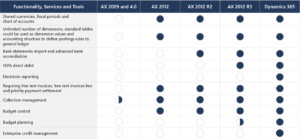
- Bank statements import and advanced bank reconciliation- The Advanced bank reconciliation feature lets you import electronic bank statements and automatically reconcile them with bank transactions in Dynamics 365 Finance.
- SEPA direct debit- A SEPA direct debit allows a creditor to collect funds from a customer’s bank account, provided that a signed mandate has been granted by the customer to the creditor. The customer signs a mandate that authorizes the creditor to collect a payment and instructs the customer’s bank to pay the collection.
- Electronic reporting (ER)- ER is a configurable tool that helps you create and maintain regulatory electronic reporting and payments. It’s based on the following three concepts: configuration instead of coding, one configuration for multiple Dynamics 365 Finance releases, and easy or automatic upgrades.
- Budget planning– An organization can configure budget planning, and then set up budget planning processes to meet its policies, procedures, and requirements for budget preparation.
- Enterprise credit management- Enterprise credit management provides capabilities to automate the credit control management process for accounting and finance professionals. Enterprise credit management will proactively suggest credit control activities, thereby improving cashflow, reducing bad debts, and providing new account risk management.
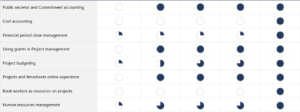
- Cost accounting– Cost accounting lets you collect data from various sources, such as the general ledger, sub-ledgers, budgets, and statistical information. You can then analyze, summarize, and evaluate cost data so that management can make the best possible decisions for price updates, budgets, cost control, and so on.
- Financial period close management- The Financial period close workspace lets you track your financial closing processes across companies, areas, and people. Depending on your view of the Financial period close workspace, you’ll see either of all tasks and statuses for a closing schedule, or just the tasks that are assigned to you.
- Project budgeting- Project budgeting resembles general ledger budgeting but can be set up more quickly and easily.
- Book workers as resources on projects- When you set up a worker as a project resource, you can select from workers who work in the company that you’re setting up resources for.
- Human resources management- Human resources streamlines many routine recordkeeping tasks and automates a number of processes related to staffing your organization. It also provides a framework for human resources staff to manage areas of oversight. These areas include employee recruitment and retention, benefits administration, training, performance reviews, and change management.
- Manager self service
Stay tuned for Part 2 of this 7-part series!
Next Steps
Now that you are seeing the advantages of having Dynamics 365 for Finance and Supply Chain Management, let Logan Consulting help you set it up.
If you are interested in learning more about migrating from Microsoft Dynamics AX to Microsoft Dynamics 365 for Finance and Supply Chain Management, contact us here to find out how we can help you grow your business. You can also email us at info@loganconsulting.com or call (312) 345-8817.
Related Posts
-
Posted on: March 25, 2026
Demand forecasts rarely fail because someone chose the wrong algorithm. They fail because too many organizations still treat the forecast...
Read More ›
-
Posted on: March 19, 2026
Most organizations don’t realize they have an expense problem until someone asks a simple question: “Why did we spend that?”...
Read More ›