











Reviews and corrects ledger-to-subledger alignment in D365 by fixing posting configurations, inventory profiles, reconciliation logic, GL mapping, and critical reporting procedures.
Maximizing EDI Success in Dynamics 365 Business Central
Posted on: May 29, 2025 | By: Page Wildridge | Microsoft Dynamics Business Central, EDI
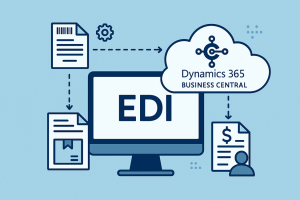
Electronic Data Interchange (EDI) is a vital tool in modern business, streamlining the exchange of documents and transactions between trading partners. When integrated into Microsoft Dynamics 365 Business Central (D365 BC), EDI can significantly reduce manual data entry, increase accuracy, and accelerate critical business processes. Like any advanced system, implementing EDI comes with challenges—but with the right strategies and tools, Business Central provides a strong foundation to overcome these hurdles and ensure EDI success.
-
Tackling Integration Complexity
Although D365 BC does not include native EDI functionality, its extensibility is a key strength. By leveraging trusted third-party EDI solutions or custom extensions, companies can tailor integration to fit their exact business needs. With a well-defined implementation plan and expert configuration, including precise mapping and data flow validation, organizations can streamline the setup process. Business Central’s API support and flexible data model make it easier to connect with leading EDI providers. Additionally, it helps to build sustainable integration architectures.
-
Managing Compatibility Across Standards
EDI standards such as ANSI X12, EDIFACT, and XML-based formats can vary across trading partners, but Business Central supports adaptability. Using EDI middleware or integration tools, companies can transform data formats and align them with partner specifications. Built-in data exchange definitions and the ability to configure custom fields help ensure compatibility. Moreover, with the right partner, updates in Business Central or the EDI system can be managed proactively. This reducing downtime and avoiding disruptions.
-
Improving Error Handling and Data Validation for EDI Success
Accurate data exchange is critical in EDI, and Business Central offers strong tools to help enforce it. While error resolution can be complex, robust workflow configurations, validation rules, and logging mechanisms within Business Central can identify and correct issues early. Pairing these features with the error-handling capabilities of a comprehensive EDI platform allows businesses to automate resolutions, minimize disruptions, and maintain the accuracy of invoices, purchase orders, and other vital documents.
-
Navigating Compliance and Regulatory Needs
Compliance with industry-specific regulations—such as HIPAA, GS1, or VDA standards—is essential in many EDI environments. Business Central’s flexibility allows for custom configurations and partner-specific templates to ensure that transactions meet required standards. Additionally, many EDI solutions offer compliance modules that work seamlessly within the Business Central ecosystem, helping businesses stay up-to-date with changing regulations and maintain good standing with their partners.
-
Scaling for Growth for EDI Success
As businesses expand, their transaction volumes and partner networks grow. Business Central is built to scale, and with the support of the right EDI solution, organizations can handle high-volume data exchanges and multiple integrations with ease. Automation features within Business Central, coupled with performance-optimized EDI tools, allow companies to maintain fast processing speeds and minimize manual intervention—even as their EDI needs evolve.
Next Steps
Implementing EDI in Dynamics 365 Business Central offers immense value when approached with the right tools and strategies. From integration and compatibility to compliance and scalability, Business Central is well-equipped to support businesses in achieving efficient, automated, and reliable EDI workflows. By selecting the right EDI partner and optimizing Business Central’s built-in capabilities, companies can turn potential challenges into lasting operational advantages.
Have questions about optimizing your EDI strategy in D365 BC? Let’s talk! Contact us at EDIInfo@loganconsulting.com to learn more.


