








Reviews and corrects ledger-to-subledger alignment in D365 by fixing posting configurations, inventory profiles, reconciliation logic, GL mapping, and critical reporting procedures.
In Case You Missed It: Highlights from the Chicago Dynamics Community Roadshow
Posted on: June 26, 2024 | By: Maya VanderWoude | Microsoft Dynamics AX/365, Microsoft Dynamics Manufacturing
Last week, June 19th, 2024, Logan Consulting had the pleasure of sponsoring and presenting at the Dynamics Community Roadshow in Chicago. This event was a day packed with insightful sessions, networking opportunities, and hands-on learning experiences. Our own Daniel Burkeen, Senior Functional Consultant at Logan Consulting, delivered an engaging presentation on Electronic Reporting in Microsoft Dynamics 365 for Finance and Supply Chain Management, including a live demonstration.
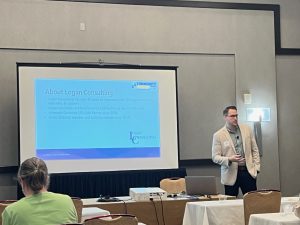
Session Recap
Daniel Burkeen’s Community Roadshow session covered the fundamentals of electronic reporting and provided valuable insights into how this feature can solve common challenges faced by multinational companies and those needing customized transactional documents. Attendees learned about the core components of electronic reporting, practical use cases, and saw firsthand how to configure and modify reports within Dynamics 365 Finance and Supply Chain Management.
Key Points from Daniel Burkeen’s Presentation:
- Overview of Electronic Reporting
- Electronic Reporting (ER) is designed to handle increasingly complex legal requirements with a low-code/no-code solution.
- It supports various data formats including Excel, Word, PDFs, text, XML, OpenXML, and JSON, making it versatile for different reporting needs.
- Components of Electronic Reports
- ER consists of one data model and multiple data formats, allowing for inbound and outbound data transfers to various destinations such as screens, emails, archives, and files.
- The system supports versioning and is not limited to internal system data, making it a robust solution for diverse business requirements.
- Target Users
- The primary users of ER are business users, including D365 Power users, Microsoft Office Specialists (MOS), and ERP support teams with above-average technical capabilities.
- Users need access to a non-production environment to work effectively with ER.
- Business Document Management
- This feature allows users to maintain templates without needing extensive ER knowledge. It supports layout adjustments and adding placeholders or notices, making document management more user-friendly.
- Business Document Management is available for cloud deployments and requires Microsoft Office 2010 or later.
- Globalization Studio
- The Globalization Studio workspace includes no-code/low-code globalization tools and out-of-the-box multi-country localization content.
- It encompasses Regulatory Configuration Service (RCS), Electronic Reporting, Configurable Business Documents, Tax Calculation, and Electronic Invoicing.
- Practical Use Cases
- ER is ideal for localization, periodic report updates, business-specific document variations, and ad hoc reporting needs.
- Key Takeaways
- ER can meet a variety of data-output needs, and it’s essential to grant access strategically.
- Business Document Management empowers users to update documents, while the Globalization Studio simplifies regulatory compliance.
To explore the full details of Daniel’s presentation, including practical use cases, you can access the complete slide deck here.
Looking Ahead: Community Summit in San Antonio
Don’t miss out on the upcoming Community Summit in San Antonio, TX from October 13-17. This event promises even more in-depth sessions, expert insights, and valuable networking opportunities. Mark your calendars and join us to continue your learning journey with the Dynamics 365 community. Learn more and register for Community Summit here. Be sure to use our sponsor promotional code ‘Logan10’ to receive a 10% discount off of your registration fee.
Next Steps:
If you want to learn more about Microsoft Dynamics 365 Finance and Supply Chain Management, contact us here to learn how we can help you grow your business. You can also email us at info@loganconsulting.com or call (312) 345-8817.
Related Posts
-
Accounts Receivable in D365 the Age of Digital Finance
Posted on: March 30, 2026
Most organizations think about Accounts Receivable (AR) when cash is late. Finance sends reminders. Collections escalates. Leadership asks about Days...
-
From Forecast to Fire Drill: Why Demand Planning Fails Without Governance
Posted on: March 25, 2026
Demand forecasts rarely fail because someone chose the wrong algorithm. They fail because too many organizations still treat the forecast...


