



Reviews and corrects ledger-to-subledger alignment in D365 by fixing posting configurations, inventory profiles, reconciliation logic, GL mapping, and critical reporting procedures.
Do Not Underestimate the Power of a Browse
Posted on: November 4, 2021 | By: Andrew Hall | QAD Business Process
Browses, drill-downs, and browse collections are a powerful tool in QAD. Are you leveraging them appropriately?
QAD provides simple yet powerful tools in the form of browses that should be exploited by all customers that are running the more recent versions of the .NET interface. These tools provide quick access to data, which can be filtered, sorted, and formatted in ways that allow for transformation into actionable information on which sound business decisions can be made. Additionally, by linking browses to other browses, users can rapidly drill into greater levels of detail as necessary. Lastly, linking browses together into collections, which can also integrate maintenance functions, customers can create single screens that allow a user to execute multiple job tasks without the need for wasteful navigation and with all the necessary information visible or a simple click away.
Are you a QAD customer? If you are, have you fully explored the richness of the functionality around browses and browses collections? If not, then Logan Consulting recommends that you familiarize yourself with these tools and fully embrace them to increase your user bases access to actionable information and create collections that allow for more efficient and more informed job activity.
Browse
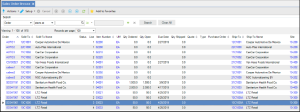
Browses like the above are 100% modifiable and can include data from all standard QAD tables with related data. Any column can be searched and filtered, and can also be exported to Excel as required.
Browse Collection (View Only)
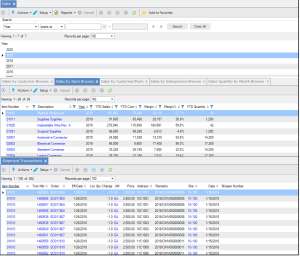
Selecting a record in the parent browse at the top automatically updates the data in the linked drill-drown browses below. Plus, multiple browses can be linked at the same level so the user can access related data without navigating away from the collection.
Browse Collection with Maintenance
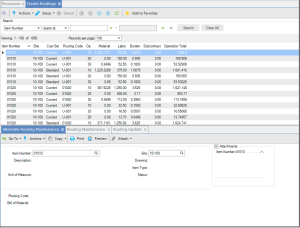
Collections like the above can also be linked to maintenance program, with data being pre-populated based on the selected record in the parent browse.
Next Steps
If you are interested in learning more about browses, browse collections, and/or maximizing the use of your QAD system, contact us here to find out how we can help you grow your business. You can also email us at info@loganconsulting.com or call (312) 345-8810.


