








Reviews and corrects ledger-to-subledger alignment in D365 by fixing posting configurations, inventory profiles, reconciliation logic, GL mapping, and critical reporting procedures.
A Practical Guide to Switching Costing Methods in Dynamics 365 Supply Chain Management
Posted on: March 17, 2025 | By: Maya VanderWoude | Microsoft Dynamics AX/365, Microsoft Dynamics Manufacturing
For organizations leveraging Microsoft Dynamics 365 Supply Chain Management (D365), inventory costing is more than just a configuration—it’s a strategic decision with lasting financial implications. As businesses grow, shift operating models, or strive to improve margin visibility, the need to evaluate or even change costing methods becomes a natural part of the digital transformation journey.
But is changing your costing method worth it? What can you expect when doing so in D365? And how do you go about executing it effectively? This blog will walk through those key considerations while highlighting the system capabilities, requirements, and constraints.
Why Revisit Your Costing Method?
Changing a costing method isn’t something taken lightly. For most businesses, the conversation begins when costs on items, orders, or transactions don’t reflect expectations. This often leads to a deeper evaluation of the costing setup in Microsoft Dynamics 365 Supply Chain Management and whether the current method still aligns with business goals.
Common drivers include:
- Evolving financial and operational goals.
- Inaccurate landed cost visibility.
- Disparate costing between product lines or legal entities.
- Increased financial scrutiny or M&A activity.
A well-informed costing strategy can enable better decision-making, streamline closing cycles, improve pricing, and even support broader initiatives like reducing working capital or expanding into new markets.
Costing Methods Available in D365
Microsoft Dynamics 365 Supply Chain Management supports a variety of costing models:
- Standard Cost
- FIFO (First-In, First-Out)
- LIFO (Last-In, First-Out)
- Weighted Average
Each model supports different business requirements. For example, standard costing is often preferred in discrete manufacturing environments with stable costs, while FIFO or weighted average methods may be more appropriate for industries with frequent cost fluctuations.
If you’re new to the topic, you may also want to explore our previous blog: Understanding Costing Versions in Microsoft Dynamics 365 Supply Chain Management, which outlines how standard and planned costing versions function in the system.
Preparing for a Costing Method Change
While the system offers paths to switch costing models, this is a major change that requires strategic planning and coordination across departments.
Before initiating any change, it’s important to:
- Define a cutover plan: Choose a go-live date, ideally over a weekend or downtime window.
- Ensure all inventory transactions are financially posted: Unposted transactions can interfere with the costing transition.
- Perform an inventory close: This is essential for reconciling and locking in valuations before the switch.
- Create required GL accounts: Standard costing, for example, requires variance and revaluation accounts.
In addition, you’ll want to align costing model configurations such as item model groups, cost groups, and number sequences for revaluation vouchers.
Changing to Standard Costing
Transitioning to standard costing is one of the more structured changes supported in Microsoft Dynamics 365 Supply Chain Management. The system includes a Standard Cost Conversion tool to help streamline the process.
Steps include:
- Setting up a new item model group configured for standard costing.
- Assigning cost groups to items (used for routing production variances to the correct GL accounts).
- Creating pending standard costs for all relevant sites and dimension combinations.
- Using the conversion form to run checks, validate data, and execute the change.
Once executed, D365 will:
- Convert historical transactions to standard cost.
- Post revaluation entries for differences.
- Prevent backdated transactions prior to the conversion date.
It’s also a best practice to activate costing versions and close inventory the day prior to the transition.
Moving Between FIFO, LIFO, and Average
For transitions between other actual costing methods (like FIFO to Average), the process is simpler from a system standpoint. After ensuring all transactions are posted and inventory is closed:
- Update the item’s model group to the new costing method.
- Run an immediate revaluation to reset inventory values.
- Perform another inventory close post-change.
However, even with fewer system dependencies, the accounting implications can be significant. Tax reporting, audit trails, and compliance requirements (e.g., IRS approval for LIFO) should all be carefully reviewed.
Common Challenges to Watch For
Some issues that can delay or prevent a successful costing method transition include:
- In-process production orders not financially ended.
- Inventory transactions occurring on or after the planned conversion date.
- Incomplete pending cost records for all required inventory dimensions.
- Service items incorrectly included in the conversion list.
- Misconfigured GL accounts for standard cost variances.
Planning ahead and completing a costing study can help mitigate these risks. Reviewing your cost sheets, validating cost groups, and testing scenarios in a sandbox environment are critical steps.
Conclusion
Changing your costing method in Microsoft Dynamics 365 Supply Chain Management is a high-impact decision. While the system provides flexible tools to support these changes, the business process and data considerations are equally significant.
If you’re considering a costing method change, start with a full analysis of your current setup. Look for opportunities to refine existing costing models before pursuing a full conversion.
Interested in refining your costing approach? Our team at Logan Consulting specializes in Microsoft Dynamics 365 Supply Chain Management implementations, assessments, and optimizations. Contact us today to discuss your costing strategy.
Next Steps:
If you are interested in learning more about costing versions in Microsoft Dynamics 365 for Supply Chain Management, contact us here to find out how we can help you grow your business. You can also email us at info@loganconsulting.com or call (312) 345-8817.
Related Posts
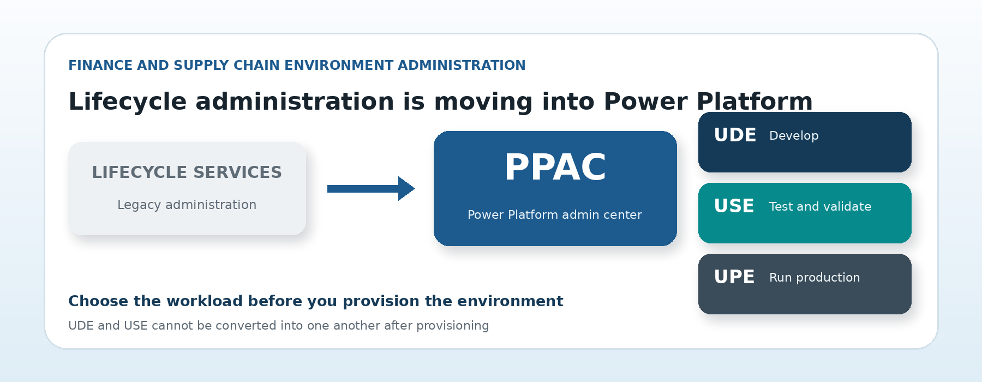
What the Shift to PPAC Means for Dynamics 365 Finance and Supply Chain Environments
Posted on: September 10, 2026
Microsoft Dynamics 365 Insight Logan Consulting | Technical guide by Craig Leska | September 2026 Lifecycle administration is shifting from...
-
Logan Consulting Earns Microsoft Finance and Supply Chain Specializations
Posted on: August 28, 2026
Client Announcement | August 2026 What this independent Microsoft validation means for organizations choosing a Dynamics 365 partner. The badge...


