








Reviews and corrects ledger-to-subledger alignment in D365 by fixing posting configurations, inventory profiles, reconciliation logic, GL mapping, and critical reporting procedures.
Begin the Year with Strategic Budget Planning in Microsoft Dynamics 365 Finance
Posted on: January 22, 2025 | By: Maya VanderWoude | Microsoft Dynamics AX/365, Microsoft Dynamics Manufacturing
The start of a new year is the perfect time for businesses to align their financial goals and set the foundation for a successful fiscal year. Strategic budget planning, especially when grounded in actual data from the previous year, helps organizations make informed decisions, optimize resource allocation, and drive growth. Microsoft Dynamics 365 Finance offers robust tools to streamline and enhance budget planning processes, making it easier for businesses to create, manage, and analyze financial plans.
This blog explores how to leverage Microsoft Dynamics 365 Finance for efficient and effective budget planning as you start the year strong.

Why Begin the Year with Budget Planning?
Starting the year with a clear and comprehensive budget plan allows organizations to:
- Set Realistic Financial Goals: Use actual data from the previous year to establish achievable targets.
- Optimize Resource Allocation: Ensure resources are aligned with strategic priorities and operational needs.
- Enhance Decision-Making: Provide leadership with actionable insights to guide decisions throughout the year.
Microsoft Dynamics 365 Finance enables businesses to achieve these outcomes through its advanced budgeting features, which integrate seamlessly with other financial processes.
Key Features of Budget Planning in Microsoft Dynamics 365 Finance
- Budget Plan Scenarios
Budget planning scenarios allow businesses to define and analyze various budget categories, such as previous year actuals, department forecasts, or revenue projections. For example:- Use “Previous Year Actuals” to establish a baseline for the new year.
- Create “Department Requests” scenarios to incorporate team-specific needs.
- Integrated Data Sources
Microsoft Dynamics 365 Finance integrates with modules like Fixed Assets, Human Resources, and General Ledger, allowing you to include critical financial and operational data in your budget. By incorporating historical data, businesses can develop accurate and data-driven budgets. - Customizable Workflows
Budget planning workflows ensure that budgets move through predefined stages, from creation to final approval. For example, budgets might pass through stages such as:- Department Submission
- Manager Review
- CFO Approval
- Excel Integration
The integration with Microsoft Excel allows users to export, analyze, and modify budget data with familiar tools. Changes can then be seamlessly imported back into Dynamics 365 Finance, ensuring consistency and ease of use.
Steps for a Successful Budget Plan
1. Establish a Budget Planning Process
Configure your budget planning workflows to reflect your organization’s hierarchy and approval structure. Define stages, such as department-level submissions or executive reviews, to ensure clear and organized processes.
2. Leverage Actuals from the Previous Year
Start with a solid foundation by importing financial data from the prior fiscal year. Use this data to identify trends, assess performance, and set realistic projections for revenue and expenses. To learn how to run an actual vs. unposted budget report, visit our previous blog here.
3. Create Scenarios for Better Analysis
Develop multiple budget scenarios, such as optimistic, conservative, and baseline forecasts. Compare these scenarios to evaluate risks and opportunities before finalizing your budget.
4. Automate Allocations and Approvals
Use allocation schedules to distribute budget amounts across departments or projects automatically. Leverage workflow automation to streamline reviews and approvals, ensuring faster and more efficient processes.
5. Monitor and Adjust Throughout the Year
Budget planning doesn’t stop once the plan is approved. Use Microsoft Dynamics 365 Finance to monitor actual performance against budgeted figures, making adjustments as needed to stay on track.
Benefits of Planning with Microsoft Dynamics 365 Finance
- Increased Accuracy
By incorporating historical data and leveraging automated tools, businesses can create more precise budgets, minimizing errors and ensuring financial reliability. - Enhanced Collaboration
Collaboration tools, including Excel integration and role-based workflows, make it easier for teams to contribute to and review budget plans. - Scalable Processes
Whether managing budgets for a single department or an entire organization, Dynamics 365 Finance provides the flexibility to handle budgets of any complexity. - Improved Efficiency
Automation and integration reduce manual effort, allowing finance teams to focus on strategic planning rather than administrative tasks.
Start Your Year with Confidence
Effective budget planning is the cornerstone of financial success. By leveraging the powerful capabilities of Microsoft Dynamics 365 Finance, businesses can streamline their budgeting processes, improve accuracy, and make informed decisions for the year ahead.
Our team of experts is here to help you optimize your budget planning process and unlock the full potential of Microsoft Dynamics 365 Finance. Contact us today to learn how we can support your financial goals in the new year.
Next Steps:
If you want to learn more about Budget Planning with Microsoft Dynamics 365 Finance, contact us here to learn how we can help you grow your business. You can also email us at info@loganconsulting.com or call (312) 345-8817.
Related Posts
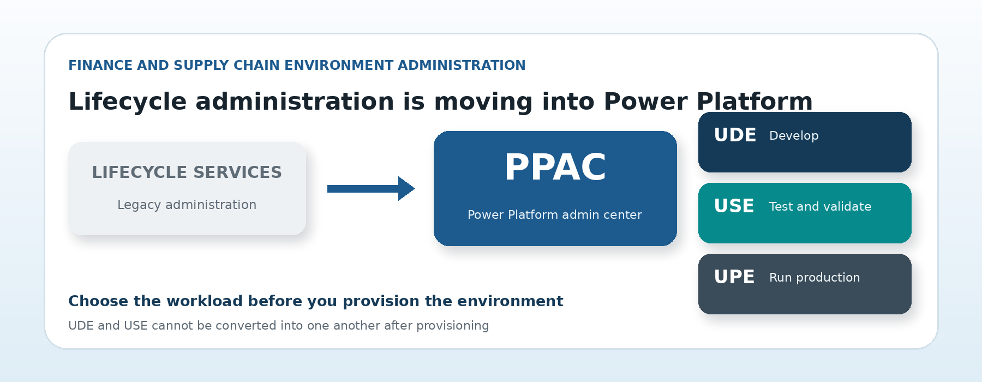
What the Shift to PPAC Means for Dynamics 365 Finance and Supply Chain Environments
Posted on: September 10, 2026
Microsoft Dynamics 365 Insight Logan Consulting | Technical guide by Craig Leska | September 2026 Lifecycle administration is shifting from...
-
Logan Consulting Earns Microsoft Finance and Supply Chain Specializations
Posted on: August 28, 2026
Client Announcement | August 2026 What this independent Microsoft validation means for organizations choosing a Dynamics 365 partner. The badge...


