









Reviews and corrects ledger-to-subledger alignment in D365 by fixing posting configurations, inventory profiles, reconciliation logic, GL mapping, and critical reporting procedures.
Return To Vendor Process in AUX
Posted on: August 2, 2024 | By: Meaghan Andrews | QAD Manufacturing, QAD Business Process, QAD Distribution
The Return to Vendor (RTV) process occurs when a company wants to return materials back to the Supplier or Vendor they purchased them from. There can be several reasons why a company would want to return purchased materials such as damaged or defective material, the wrong material was shipped to them, or the supplier over shipped the quantity ordered. It is important that a process is in place to support easily returning to the vendor.
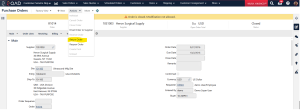
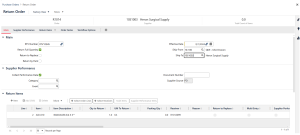
In QAD AUX, to start the Purchase Order Return process you can go to the purchase order you would like to return material for in the Purchase Orders hybrid view. From there, you click the Actions > Return Order. A pop-up screen will appear where you are able to enter the header information (RTV Numbers, Ship-to address, etc.), Supplier Performance details, select the purchase order lines you would like to return, and add any line or order notes to the return. Note that when Submitting the Return Order is when inventory will be relieved from the system.
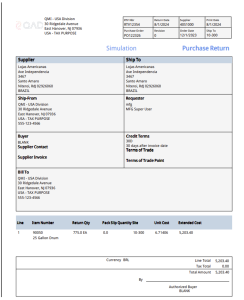
Once the return is created, you can use the Purchase Order Return Document Print screen in AUX to get a printout of the document.
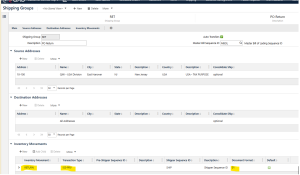
If additional shipping paperwork is needed, you can set up an Inventory Movement Code and Shipping Group to generate Shipping paperwork for return documents. First, you will set up a Return inventory movement code using the Inventory Movements screen in AUX. In this screen you will link the ISS-PRV (PO Return to Vendor) transaction code to this inventory movement. Next, you will use the Shipping Groups screen in AUX to create a group related to the Inventory Movement Code to automatically create shipping documents. In the Shipping Groups screen you can specify specific source and destination addresses you want to create these documents for, and you can specify specific document formats and number sequences by each group.

The Return to Vendor process is something every company deals with from time to time, so it is beneficial that QAD’s AUX process is simple to execute. The additions of Inventory Movements and Shipping Groups gives additional functionality to customize the shipping documentation for specific Suppliers or sites.
Next Steps
If you are interested in learning more about the Return to Vendor process, contact us here to find out how we can help you grow your business. You can also email us at info@loganconsulting.com or call (312) 345-8817.


