










Reviews and corrects ledger-to-subledger alignment in D365 by fixing posting configurations, inventory profiles, reconciliation logic, GL mapping, and critical reporting procedures.
Maximizing Your Data with Dynamics CRM Power Automate: Part II
Posted on: June 24, 2024 | By: Page Wildridge | Microsoft Dynamics CRM
Streamline Approvals in Teams with Power Automate
In Episode 1, we explored the Power Apps Grid Control and how it enhances data management and user interaction. Today, we’ll dive into the power of integrating Power Automate with Microsoft Teams to streamline your approval processes. Efficient approval workflows are crucial for maintaining productivity and ensuring timely decision-making in any organization.
Understanding Power Automate and Teams Integration
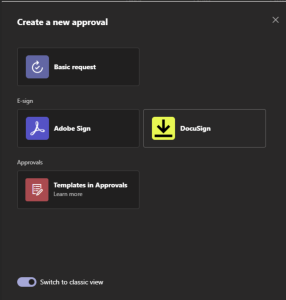
Power Automate is a robust tool that automates repetitive tasks and workflows. When integrated with Microsoft Teams, it allows you to create seamless approval processes directly within your team’s collaborative environment. This integration not only saves time but also ensures that approval requests are managed efficiently without leaving the Teams interface.
Managing and Monitoring Approvals
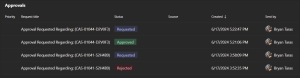
Keeping track of approval requests is effortless with Power Automate in Teams. You can monitor the status of approvals in real-time, receive notifications for pending tasks, and set up reminders to ensure nothing slips through the cracks. Additionally, handling escalations and reassigning approvals can be done directly within Teams, providing a centralized hub for all approval activities.
Enhancing User Experience
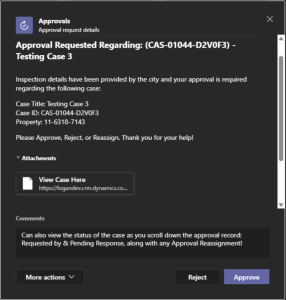
Creating user-friendly approval forms and workflows is key to a smooth approval process. By designing intuitive forms and leveraging Teams channels and tabs, you can make it easy for users to submit and review approval requests. Clear communication and transparency are critical, and integrating these elements into your workflows enhances the overall user experience.
Empowering Administrators and Decision Makers
Administrators can leverage Power Automate’s analytics and reporting tools to gain insights into the approval process. Tracking metrics and KPIs helps identify bottlenecks and optimize workflows. By utilizing the data generated from these workflows, decision-makers can make informed choices that enhance efficiency and drive organizational success.

Next Steps
In this episode, we’ve highlighted how integrating Power Automate with Teams can revolutionize your approval processes, making them more efficient and user-friendly. Stay tuned for Episode 3, where we’ll continue to explore innovative ways to maximize your data capabilities.
Logan Consulting is a proud partner of Microsoft. If you have any questions or would like to learn more, please reach out here to schedule time with our team. We hope to speak with you soon!


